> ## Documentation Index
> Fetch the complete documentation index at: https://docs.cove.trade/llms.txt
> Use this file to discover all available pages before exploring further.
# Use the Mini Apps
> Open visual positions, portfolio history, deposits, and wallet management.
Cove's Mini Apps open from Telegram buttons.
| App | Open from | Main tasks |
| ---------------- | ------------------------------------------------------------------------ | ---------------------------------------------------------------------------------- |
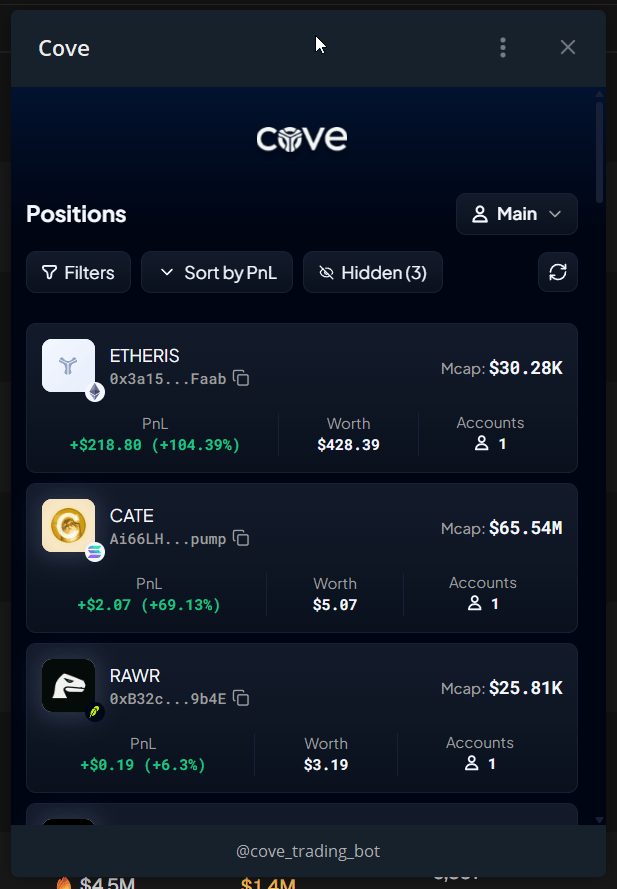
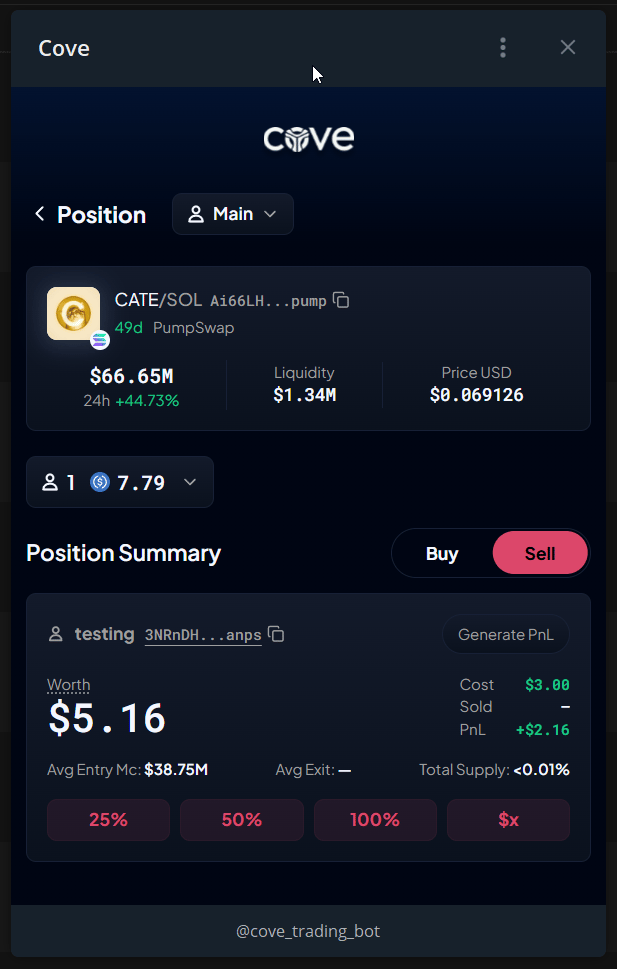
| **Positions** | `/positions` → **Positions Mini App**, or **Manage Position** on a token | Holdings, buy/sell, filters, hide/unhide, PnL cards |
| **Portfolio** | `/positions` → **History** | Lifetime PnL and PnL Calendar |
| **Deposit** | `/deposit` → **Card Top Up** | MoonPay and per-wallet auto-bridge |
| **Cove Wallets** | `/wallets` → **Export Wallet**, or a money-product button | Keys, delete/recover, restore access, available marketplace/private-transfer tools |
## Open Positions
1. Send `/positions` and tap **Positions Mini App**.
2. Check the profile and wallet/chain filters.
3. Select a token to open its details.
4. Choose buy or sell, enter the size, and follow the displayed confirmation.
5. Review the result and Telegram receipt.
**Hidden** lists hidden positions; **Unhide** returns one to the list. Profile controls can also let you switch, create, or rename a profile.
## What stays in Telegram?
Standard withdrawals/transfers, automated orders, alerts, referrals, support, and guardrails are managed in the bot. Private Disperse and Private Withdraw use Cove Wallets where enabled.
Positions, Portfolio, and Cove Wallets require opening from Telegram. Deposit can also offer **Log in with Telegram** in a browser.
## Common issues
* **Wrong account:** choose **Switch to this Telegram account** or reopen from the intended account.
* **Wallet missing:** check your active profile.
* **Paper wallet:** switch to a real profile; Paper is not included.
* **Main bot required:** use `/bots`.
* **Manage Position missing:** enable **Show Mini App button** in [Trade panel settings](/features/settings/trade-panel).