> ## Documentation Index
> Fetch the complete documentation index at: https://docs.cove.trade/llms.txt
> Use this file to discover all available pages before exploring further.
# Profiles
> Keep strategies separate with their own wallets, positions, orders, and settings.
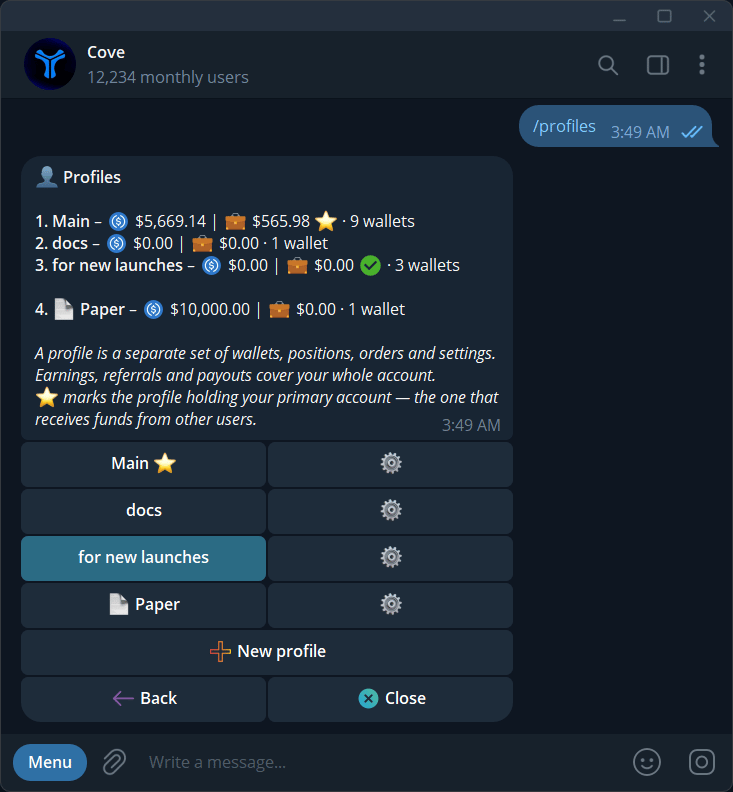
A **profile** separates a set of wallets and trading settings under one Cove login. Everyone starts with **Main**.
If `/profiles` says profiles are unavailable, your wallets are unchanged. Use the wallet tools available in your account.
## Create a profile
Send `/profiles`, or select **Manage** beside **Active profile** on `/start`.
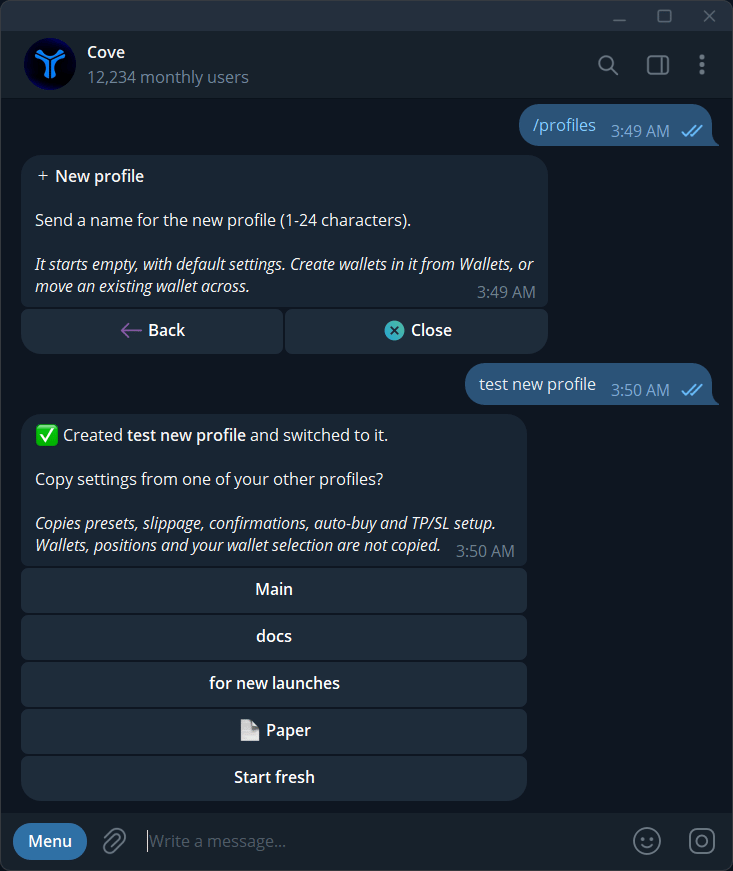
Tap **New profile** and send a name of 1–24 characters. Cove creates the profile and switches you into it.
**Copy settings from** an existing profile, or **Start fresh**. Copying includes presets, slippage, confirmations, auto-buy, and TP/SL setup. Wallets, positions, and wallet selection are not copied.
In `/wallets`, create or import a wallet, or move one from another profile. Use [Simple transfer](/features/transfers#transfer-between-your-wallets) to fund it from another profile.
## Switch, rename, or move a wallet
Tap a profile row in `/profiles` to switch. You can also use **Active** on trading panels, **Change profile** in Positions, or **Switch active profile** in Wallets. The profile's **⚙️ → Rename** changes its name.
To move a wallet:
1. Open the profile that currently contains it.
2. Go to `/wallets` → its **⚙️** → **Move to other profile**.
3. Choose a destination with a free slot and follow the confirmation.
4. Check the wallet in the destination profile.
The wallet address stays the same. Its positions, orders, and history move with it. If an agent permission blocks the move, review that permission using the [MCP guide](/builders/mcp-tools).
## Archive and restore
Open a profile's **⚙️ → Archive**. If it contains wallets, review the warning before **Archive anyway**. Restore it from `/profiles` → **Archived** → **Restore**.
Archiving hides a profile; it does not sell positions, revoke access, or stop orders. Orders also continue when you switch profiles. Cancel unwanted orders before archiving.
The original default profile can be renamed but cannot be archived. ✅ identifies the active profile; ⭐ identifies the profile containing your primary wallet.
## What belongs to a profile?
| Changes with the profile | Shared across your account |
| -------------------------------------------- | -------------------------------------------- |
| Wallets, positions, orders, wallet selection | Primary wallet |
| Slippage, guardrails, presets, confirmations | Language and many display preferences |
| Auto-buy, Auto TP/SL, manual TP/SL basis | Price alerts and optional push notifications |
| Profile history view | Referrals, rewards, payouts, and support |
See [Settings scope](/features/settings#which-settings-change-with-a-profile).
## Limits and missing holdings
You can have **5 active real profiles**, **10 archived profiles**, **10 wallets per profile**, and **160 wallets in total**, including archived and Paper wallets. Paper wallets cannot share a profile with real wallets.
If holdings appear to be missing, check other profiles and **Archived**. Token panels may show **Also held in** with a link to the relevant profile. If a picker expires, reopen it.