> ## Documentation Index
> Fetch the complete documentation index at: https://docs.cove.trade/llms.txt
> Use this file to discover all available pages before exploring further.
# History, PnL, and calendar
> Understand performance figures and review past token activity.
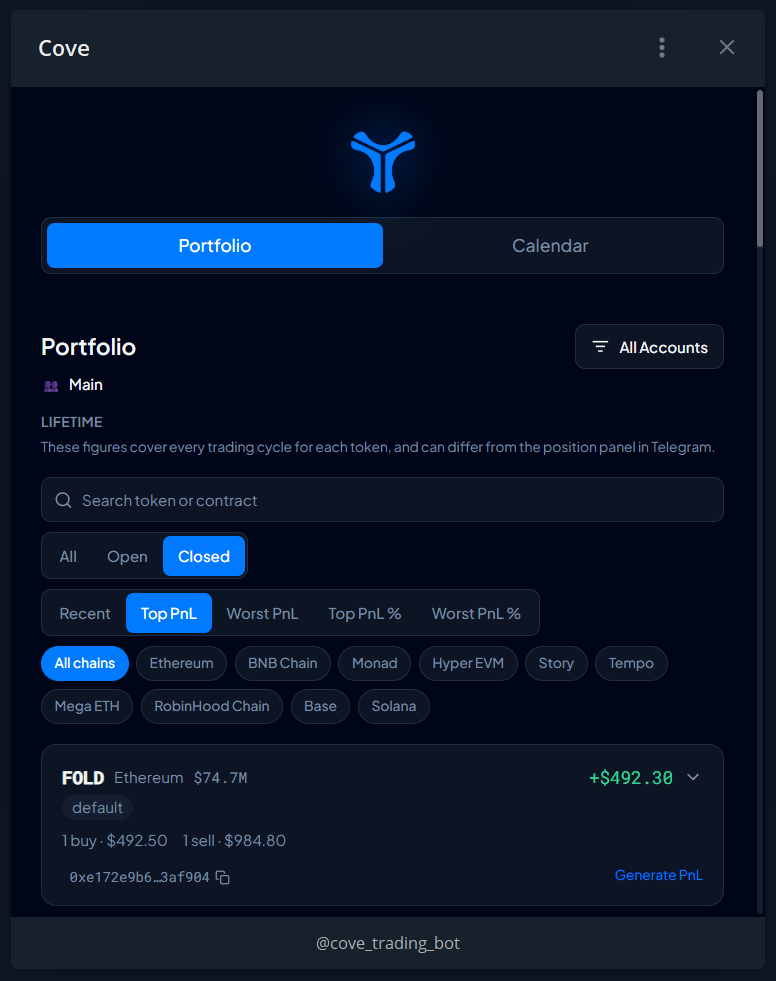
Open `/positions` → **History** to launch the **Portfolio Mini App**. Its figures cover a token's **lifetime trading history**, which can differ from the current position shown in Telegram.
## Review portfolio history
Check the active profile in Telegram, then open **History** from Positions.
Search, select **All / Open / Closed**, or filter by chain and wallet.
Use **Recent**, **Top PnL**, **Worst PnL**, **Top PnL %**, or **Worst PnL %**.
Read the token's lifetime figures, any **Partial** label, and action tags such as Limit, SL, Breakout, or Transfer. Generate a PnL card where offered.
## Read your PnL
| Term | Plain-language meaning |
| ---------------------------------- | ------------------------------------------------------------------------ |
| **Realized PnL** | Profit or loss already realized through sells |
| **Unrealized PnL** | Estimated gain or loss on tokens still held |
| **PnL \$** | Realized plus unrealized profit/loss for the displayed scope |
| **PnL %** | That PnL relative to the recorded total cost |
| **Cost basis** | Recorded cost attributed to your holding |
| **Sold** | Proceeds received from selling |
| **Avg Entry** | Average buy price and its market-cap equivalent |
| **Capital at Risk / Profit Taken** | A summarized view of capital still exposed versus proceeds already taken |
Example, before fees: buy **\$100** of a token, sell half for **\$80**, and value the remaining half at **\$70**. The sold half cost \$50, so realized PnL is **\$30**. Unrealized PnL is **\$20**. Combined PnL is **\$50**, or **50%** of the original \$100 cost.
## Current cycle versus lifetime
The bot normally shows the **current holding cycle**, beginning when you entered from a zero holding. Portfolio history uses **lifetime** data across cycles.
Enable **Total PnL per token** in [Trade panel settings](/features/settings/trade-panel) for lifetime headlines on the token panel. Check that both views use the same profile, wallets, and data coverage before comparing.
## PnL Calendar
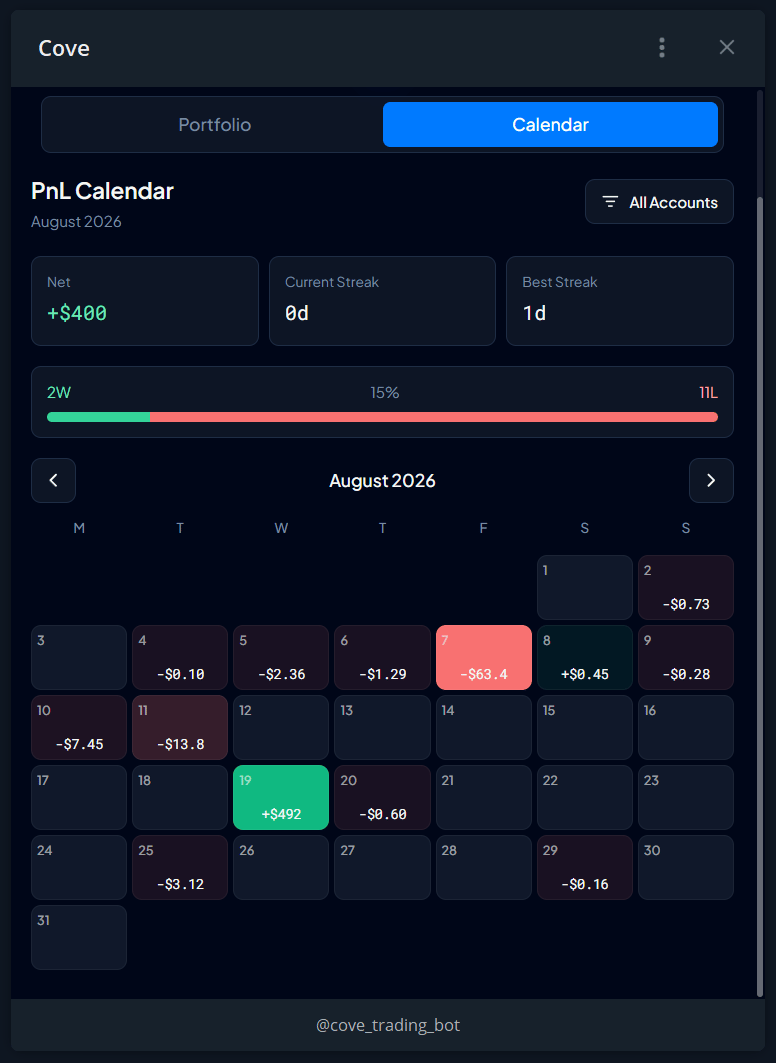
Open the **Calendar** tab for daily **Net** PnL, **Current Streak**, **Best Streak**, and **W/L**.
Treat these as product performance summaries, not a complete financial record. Use [CSV export](/features/export) for row-level history. If a day or streak looks different from your calculations, check the period and ask support to clarify the calendar's day boundary.
## Missing or partial figures
Transferred or externally acquired tokens can lack cost history. An earlier holding period may be excluded if it could not be measured. The app shows **Partial** or **Unavailable** instead of a complete figure.
Native/wrapped-native PnL may be unavailable. A missing PnL does not prove funds are missing.
For large discrepancies, check profile, filters, current cycle versus lifetime, and incomplete wallet coverage, then contact [Support](/features/support) with the relevant receipt.