> ## Documentation Index
> Fetch the complete documentation index at: https://docs.cove.trade/llms.txt
> Use this file to discover all available pages before exploring further.
# Guardrails
> Configure slippage, liquidity checks, max-buy adjustment, confirmations, and gas surplus
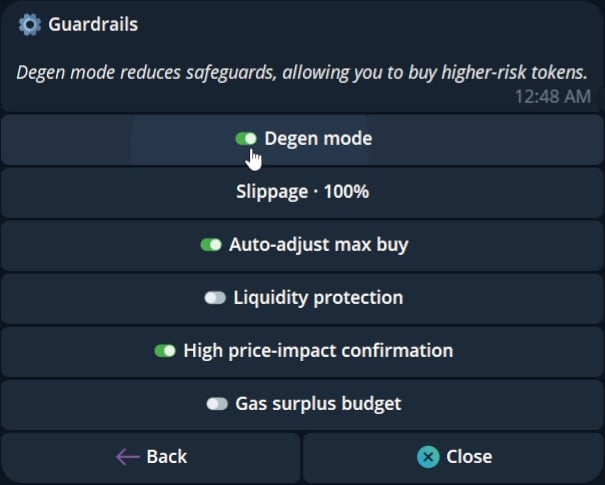
Guardrails control checks that run before or during a trade.
 ## Available controls
| Setting | Current UI behavior |
| ------------------------------ | -------------------------------------------------------------------------------------------------- |
| Slippage | Choose a preset or enter a value from 1% to 100%, with up to two decimal places shown in the UI |
| Degen mode | Reduces safeguards for the selected trade |
| Auto-adjust max buy | Reduces a buy to the token contract's allowed maximum when the requested amount is too high |
| Liquidity protection | Blocks buys that would consume too much reported liquidity |
| High price-impact confirmation | Adds a confirmation step for high-impact trades |
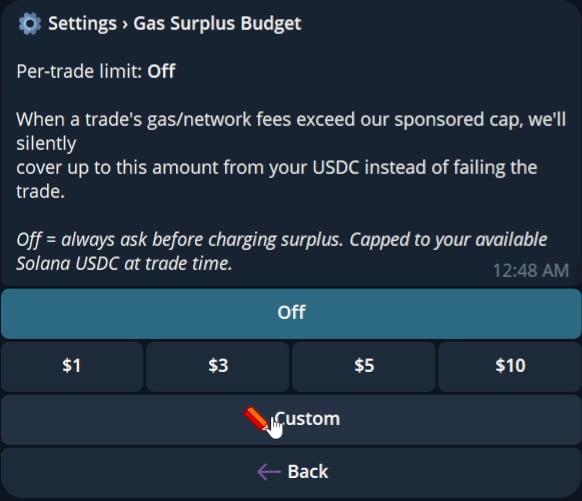
| Gas Surplus Budget | Sets the per-trade amount Cove can request from your USDC balance when sponsored gas is not enough |
### Slippage
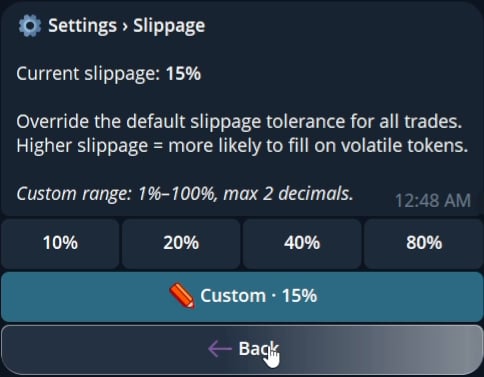
Choose 10%, 20%, 40%, or 80%, or enter a custom value from 1% to 100% with up to two decimal places. Higher slippage gives a volatile trade more room to fill, but it also accepts a wider price difference.
## Available controls
| Setting | Current UI behavior |
| ------------------------------ | -------------------------------------------------------------------------------------------------- |
| Slippage | Choose a preset or enter a value from 1% to 100%, with up to two decimal places shown in the UI |
| Degen mode | Reduces safeguards for the selected trade |
| Auto-adjust max buy | Reduces a buy to the token contract's allowed maximum when the requested amount is too high |
| Liquidity protection | Blocks buys that would consume too much reported liquidity |
| High price-impact confirmation | Adds a confirmation step for high-impact trades |
| Gas Surplus Budget | Sets the per-trade amount Cove can request from your USDC balance when sponsored gas is not enough |
### Slippage
Choose 10%, 20%, 40%, or 80%, or enter a custom value from 1% to 100% with up to two decimal places. Higher slippage gives a volatile trade more room to fill, but it also accepts a wider price difference.
 ### Degen mode
Degen mode reduces safeguards for the selected trade. Review your slippage and guardrail settings before enabling it.
### Auto-adjust max buy
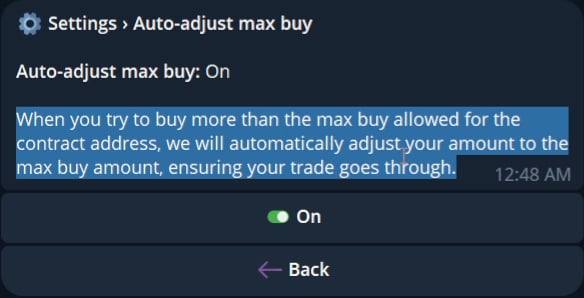
When a token contract limits the maximum buy, this setting reduces your order to the contract limit. It removes the need to calculate the maximum manually.
### Degen mode
Degen mode reduces safeguards for the selected trade. Review your slippage and guardrail settings before enabling it.
### Auto-adjust max buy
When a token contract limits the maximum buy, this setting reduces your order to the contract limit. It removes the need to calculate the maximum manually.
 ### Liquidity protection
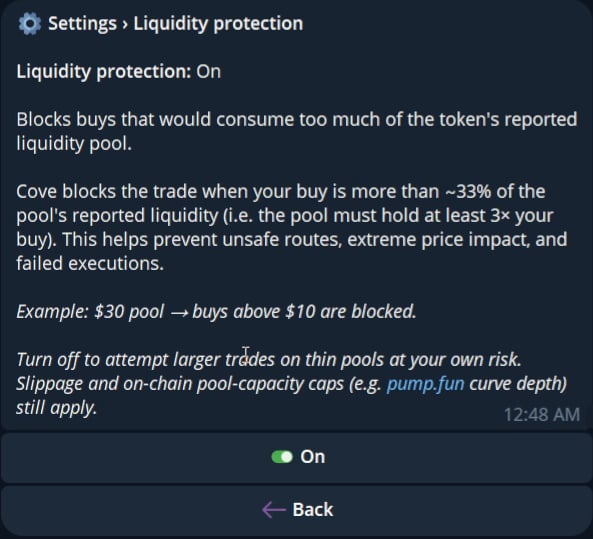
Liquidity protection checks the requested buy against reported pool liquidity and blocks buys that are too large for the pool.
### Liquidity protection
Liquidity protection checks the requested buy against reported pool liquidity and blocks buys that are too large for the pool.
 ### High price-impact confirmation
Enable this setting to require an additional confirmation for trades with high price impact.
### Gas Surplus Budget
Gas Surplus Budget is a per-trade limit. Choose `Off`, `$1`, `$3`, `$5`, `$10`, or `Custom`.
`Off` means Cove asks before charging a surplus. When the sponsored amount does not cover the network cost, an approved surplus can be deducted from the unified USDC balance.
### High price-impact confirmation
Enable this setting to require an additional confirmation for trades with high price impact.
### Gas Surplus Budget
Gas Surplus Budget is a per-trade limit. Choose `Off`, `$1`, `$3`, `$5`, `$10`, or `Custom`.
`Off` means Cove asks before charging a surplus. When the sponsored amount does not cover the network cost, an approved surplus can be deducted from the unified USDC balance.