> ## Documentation Index
> Fetch the complete documentation index at: https://docs.cove.trade/llms.txt
> Use this file to discover all available pages before exploring further.
# Auto-bridge and parked funds
> Choose whether other-chain stablecoins move automatically or wait for approval.
Your trading balance is USDC on Solana. **Bridging** moves supported stablecoins from another chain into that balance.
| State | Where the funds are | What to do |
| ----------------- | -------------------------------- | -------------------------------------- |
| **Spendable** | Available in the trading balance | Use them for a trade |
| **Consolidating** | A bridge is in progress | Wait for completion, then refresh |
| **Parked ⏸** | Waiting on another chain | Approve a bridge in `/bridge` |
| **Below minimum** | Too little for that route | Check how much more the panel asks for |
## Choose a wallet's bridge mode
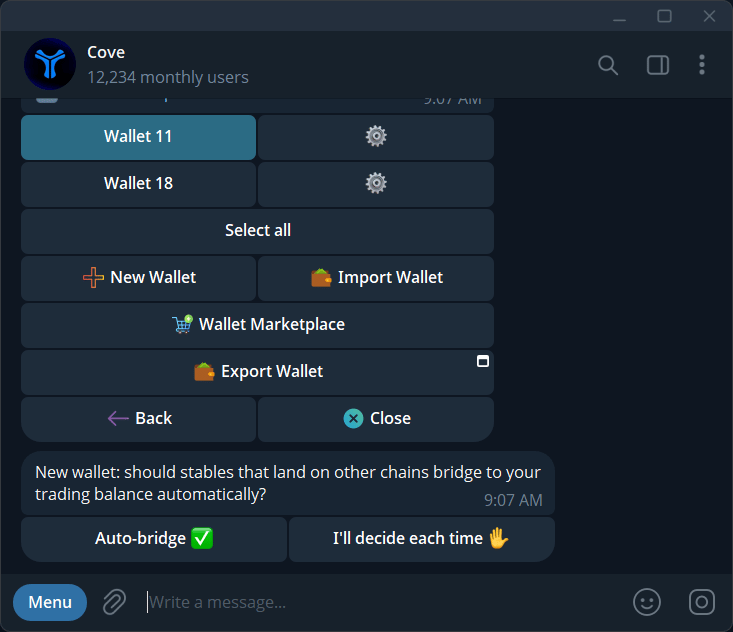
When a wallet is created or imported, it may ask:
* **Auto-bridge ✅:** future eligible stablecoin deposits move into the trading balance automatically.
* **I'll decide each time ✋:** they remain on the receiving chain until you approve.
No answer means manual mode. Existing wallets from before this choice was introduced may already have auto-bridge on. Imported and marketplace wallets start manual unless you choose otherwise.
## Approve parked funds once
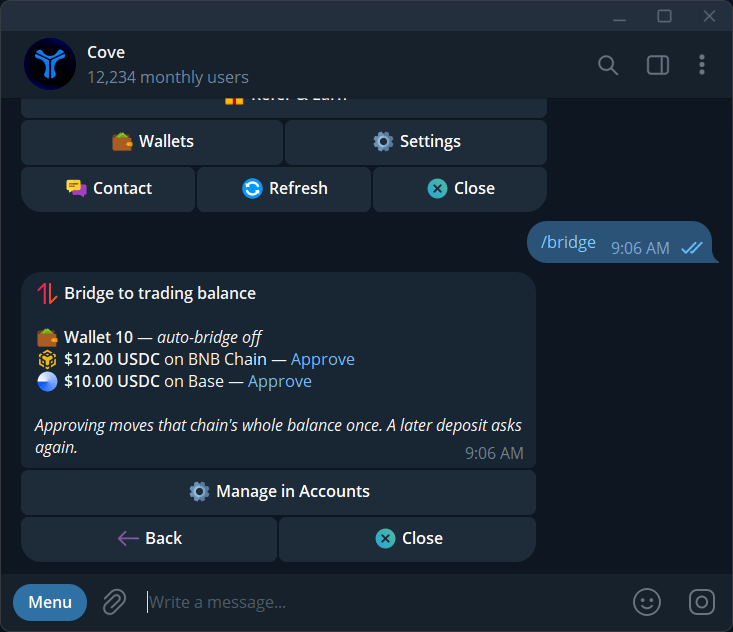
Send `/bridge`, or tap **Parked on other chains** on the main menu, Positions, or Deposit.
Check the wallet header and the row showing the amount, token, and network.
Tap **Approve** on that row. It moves that chain's eligible balance once; it does not turn on automatic bridging for later deposits.
Follow the moving-funds status and **Bridge complete** notification. The bot may estimate about a minute; network conditions can change the wait.
## Change the standing preference
Open `/wallets` → the wallet's **⚙️** → **Auto-bridge**. You can also use the controls in `/bridge` or the Deposit Mini App. Check the resulting 🔁 or ✋ state.
The preference belongs to the wallet. Changing it affects how eligible funds are handled, so check the wallet name first.
## Minimums and troubleshooting
The documented bridge minimum is **\$25 for Ethereum** and **\$1 for other supported chains**. The live panel shows route-specific requirements. Below-minimum funds may not appear as an approvable parked row.
**Nothing is parked** means there is nothing currently available for manual approval in the displayed wallets. Check other profiles, deposit addresses, and below-minimum balances if you expected funds.
Paper wallets cannot bridge. If a trade says **Consolidating funds**, wait and refresh rather than approving or submitting the same action repeatedly.