> ## Documentation Index
> Fetch the complete documentation index at: https://docs.cove.trade/llms.txt
> Use this file to discover all available pages before exploring further.
# Transfer a token position
> Send tokens to an external wallet or move them among your own Cove wallets.
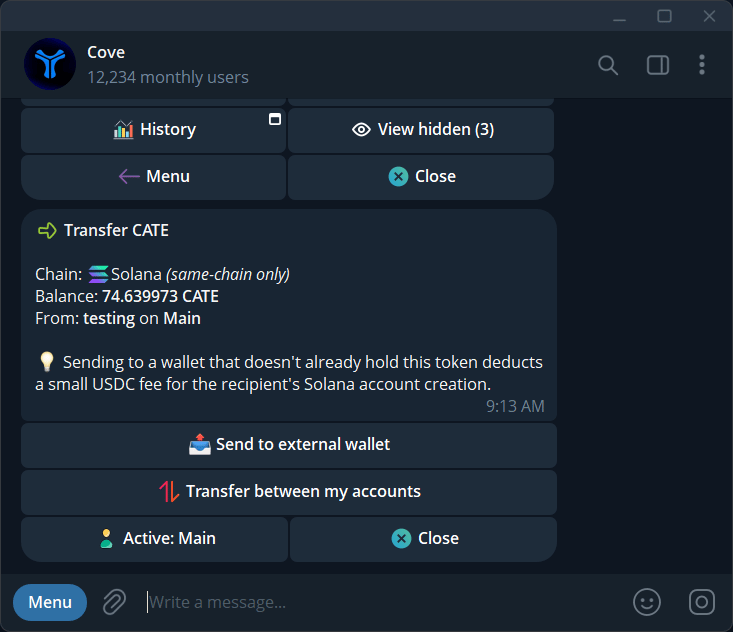
To send a token without selling it, use **Transfer** on its position. The regular `/withdraw` flow is for stablecoin withdrawals.
## Send to an external wallet
Open the correct profile and send `/positions`. Expand the token's wallet details if needed, then tap **Transfer**.
Verify **From** or **Account from**. Where a source picker is available, choose the wallet holding the tokens.
Select **Send to external wallet** and enter the recipient's address on the token's chain.
Use the amount or percentage controls offered. Review the token, chain, source, destination, and any costs before sending.
Follow **Transfer sent**, then **Transfer complete** or **Transfer failed**. Use the explorer link where offered.
## Move tokens between your wallets
Choose **Transfer between my accounts**, then:
* **Simple transfer:** one source and one destination.
* **Disperse:** one source and several destinations.
* **Collect:** several sources into one destination.
Select wallets, enter the amount, review the preview, and check each result after sending. These moves keep the token on its existing chain.
The source-wallet picker and profile controls appear only where available. If you change profiles, reopen the transfer from that profile's Positions list.
## If the transfer cannot proceed
**No token in this profile** means you should check the holding profile. **Panel expired** or **Out of date** means reopen the transfer. A token contract may restrict transfers, so a displayed balance does not guarantee the token can be moved.
Paper wallets cannot transfer real tokens. Never use a token's contract address as the recipient wallet.