

Select and sell
1
Open bulk-sell mode
Send
/positions, confirm the profile, and tap SWITCH TO BULK SELL.2
Set a worth filter if useful
Choose Worth filter and a value such as $50, $100, $500, or $x. No filter removes it.Changing the worth filter clears the current selection.
3
Select positions
Use Select on individual rows or Select current page positions. Tokens marked ❌ are selected for selling.Select all pages positions requires a worth filter and selects up to the 100-position cap.
4
Review the full list
Tap Bulk sell N tokens. Read Confirm bulk sell, including every page of the list and displayed worth.
5
Confirm and follow results
Tap Confirm bulk sell. Follow the single progress receipt until complete.
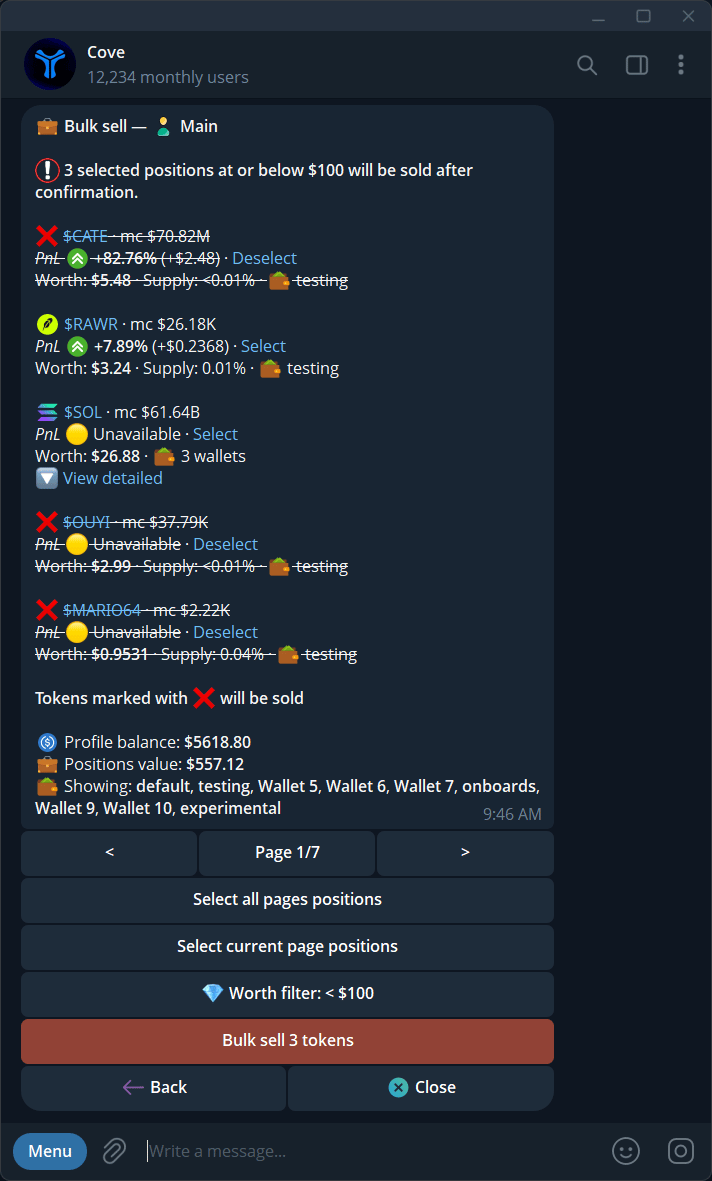
Select positions in bulk-sell mode and check the selected count.
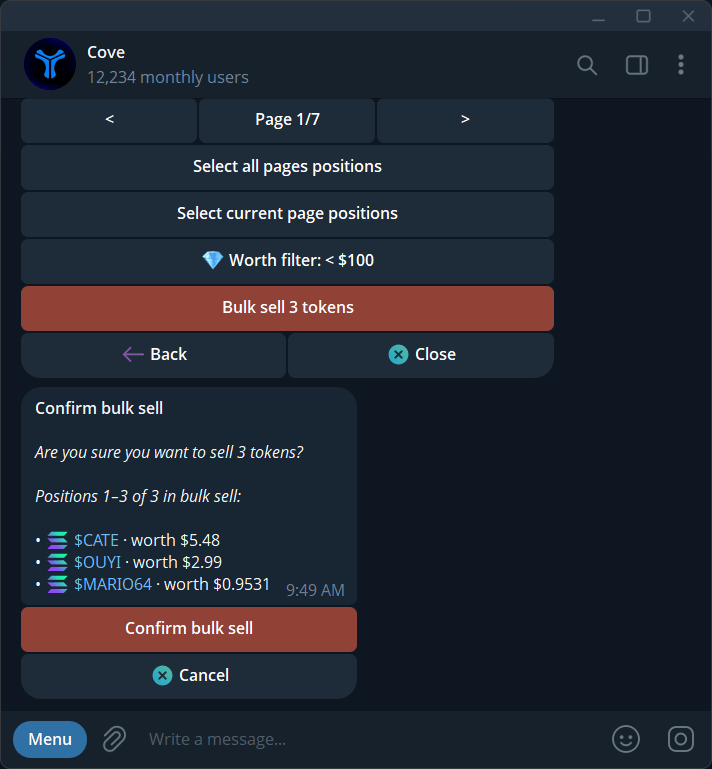
Review the selected positions and total before confirming a bulk sell.
Understand selection and results
The maximum is 100 positions per run. If more match the worth filter, Cove selects the largest matching positions within the cap. Read the selection summary rather than assuming every holding is included. Hidden positions can also be included after you choose to show them. Review the tokens and wallets in the confirmation list; hiding a position does not remove the underlying holding. The receipt reports Sold X of Y positions and total USDC received. Partly sold means some wallets still hold the token.If you need to retry
Check the completed results in/positions first. Then select only the remaining holdings you intend to sell.
For Selection or filter changed, review the current list again. For Selection expired, reopen Positions. If another sell is already processing, wait for its receipt before starting another run.