
Send /export to download real trading history. Paper trades are excluded.

Download a file

1

Choose a real profile

If you are practicing, switch from Paper to a real profile first.
2

Open Export

Send /export and choose a format.
3

Choose the format

Select Generic CSV for a spreadsheet or Koinly CSV for a compatible tax-tool import.
4

Save and check

Download the Telegram file named like cove-trades-generic-YYYY-MM-DD.csv. Check its date range, wallet coverage, and values before relying on it.
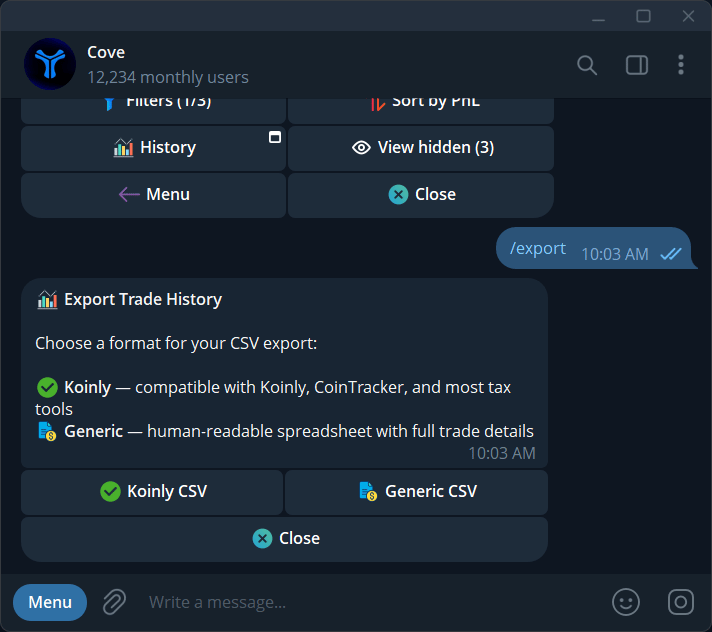
Choose Koinly CSV or Generic CSV to export your trading data.

Choose Koinly CSV or Generic CSV to export your trading data.

What is included?

Generic CSV includes Date, Side, Token, Chain, Amount, Price (USD), Total (USD), USDC Amount, Fee (USD), Cost Basis (USD), Realized PnL (USD), Order Type, and TX Hash. Koinly CSV uses fields such as Date, Sent/Received amounts and currencies, Fee, Net Worth, Label, Description, and TxHash. The file is an activity record, not a determination of tax treatment. Check the receiving tool’s import mapping and avoid importing the same rows twice.

Check the export scope

Check which profiles and dates your downloaded file includes. If you need a complete account export, including archived profiles, confirm the scope with Support before assuming nothing is missing. No trades found to export can mean no eligible real trade history. Check Paper mode and the intended account. For visual results, use History.