

/support.
Create a ticket
1
Choose the request type
Select Get Help for a problem or Send Feedback for a suggestion.
2
Describe the issue
Include what you tried, what happened, the token/chain, and the profile involved. For a failed trade, forward its failure message with the reference.
3
Add an attachment if useful
Send a Telegram photo or a supported video up to 20 MB. A caption becomes the message text.
4
Track the ticket
Check Ticket created and its number. Use My Tickets to view, reply, or close it.
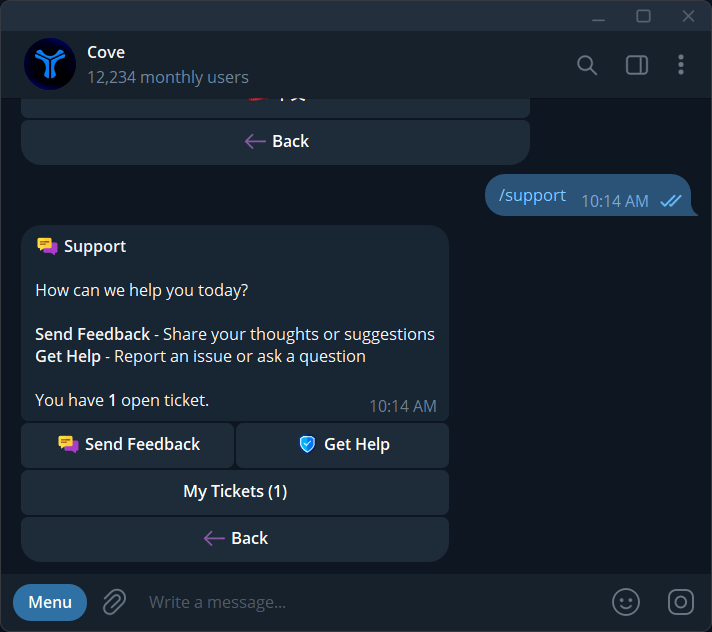
Support options: Send Feedback, Get Help, and My Tickets.
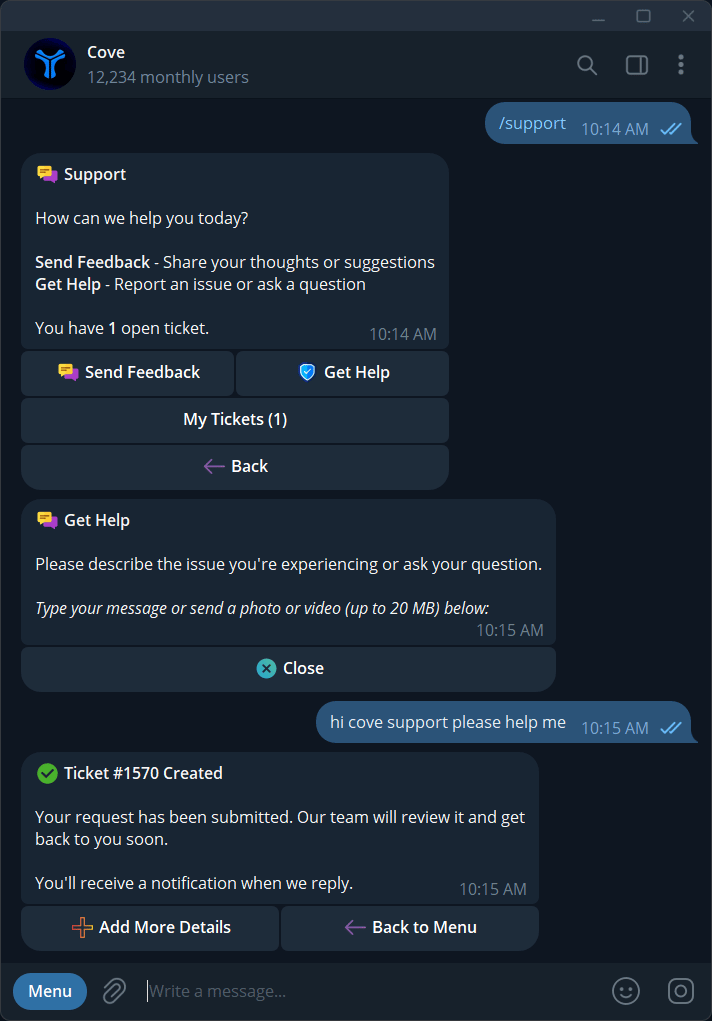
The Get Help prompt and confirmation that a support ticket was created.
Screenshots and screen recordings
Use one attachment per message. Add more through Add More Details or by replying to a ticket notification. Trim an oversized recording before resending.
If attachments are temporarily unavailable, send the text first and add the attachment later.
Information that helps
- The expected result and actual result.
- Approximate time, profile, wallet label, token, and network.
- The failure message and its reference.
- A screenshot of the complete error or a short recording.
- For a marketplace purchase: Copy reference and open chat.
- For a failed Private Disperse: Get refund.
Other help
Use Troubleshooting for common problems,/help for commands, /docs for documentation, and /bots for Cove’s primary and backup bot handles.
Support replies arrive in Telegram and can be answered from the notification or My Tickets.