

Find the right token
Cove accepts contract addresses, chain-suffixed addresses, token/pool links from services such as DexScreener, Defined, GMGN, Birdeye, Photon, and GeckoTerminal, and certain X search links. A short symbol or name can resolve to a matching token; always check the address. If an address exists on several chains, Cove can show a picker. Choose the network you intended. A failed link lookup can often be resolved by pasting the token’s contract address directly. Arc is supported. Paste the Arc token’s contract address, select Arc if asked, and check the chain label on the panel. See Supported chains for the full trading-network list.Read the fields
Scanner data is information, not a guarantee that a token is safe or sellable. If Find out why appears, open it to read the concern.
Liquidity and transfer-fee notices
When reported liquidity is positive but below $5,000, the panel shows LOW LIQUIDITY above the token data. Below $1,000, it shows VERY LOW LIQUIDITY. These are visible warnings about a thin market, not an estimate of what your trade will receive or a guarantee that a sale is possible. Review the live quote, price impact, and any trading confirmation before acting. If liquidity is unavailable or reported as zero, the panel does not infer one of these two warning levels from it.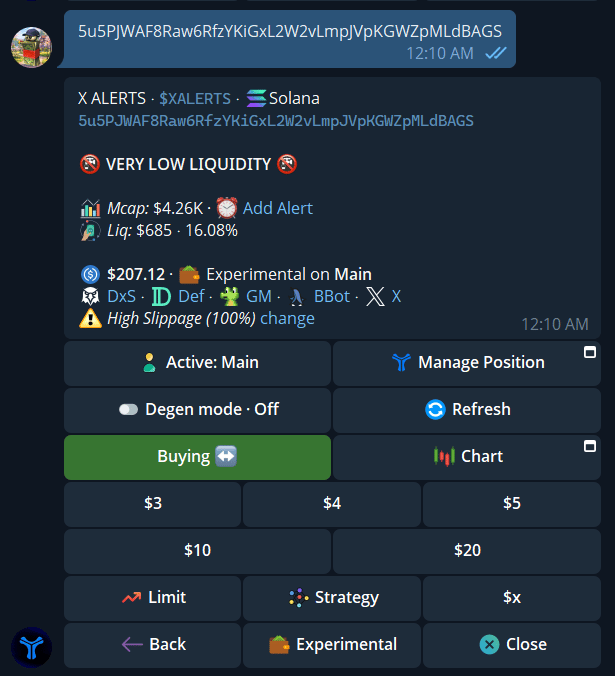
A token with $685 reported liquidity shows VERY LOW LIQUIDITY above its market data.
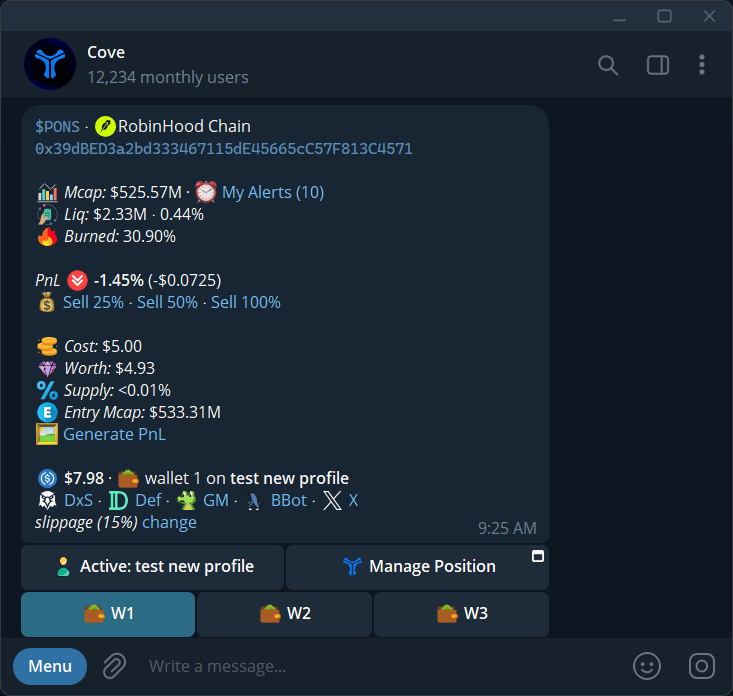
A token panel with market data, position values, slippage, and the active profile.
Buttons and links
Display preferences can hide buttons, nest wallets, add external links such as Pump.fun and FOMO, or translate Chinese token names where available. See Trade panel settings.
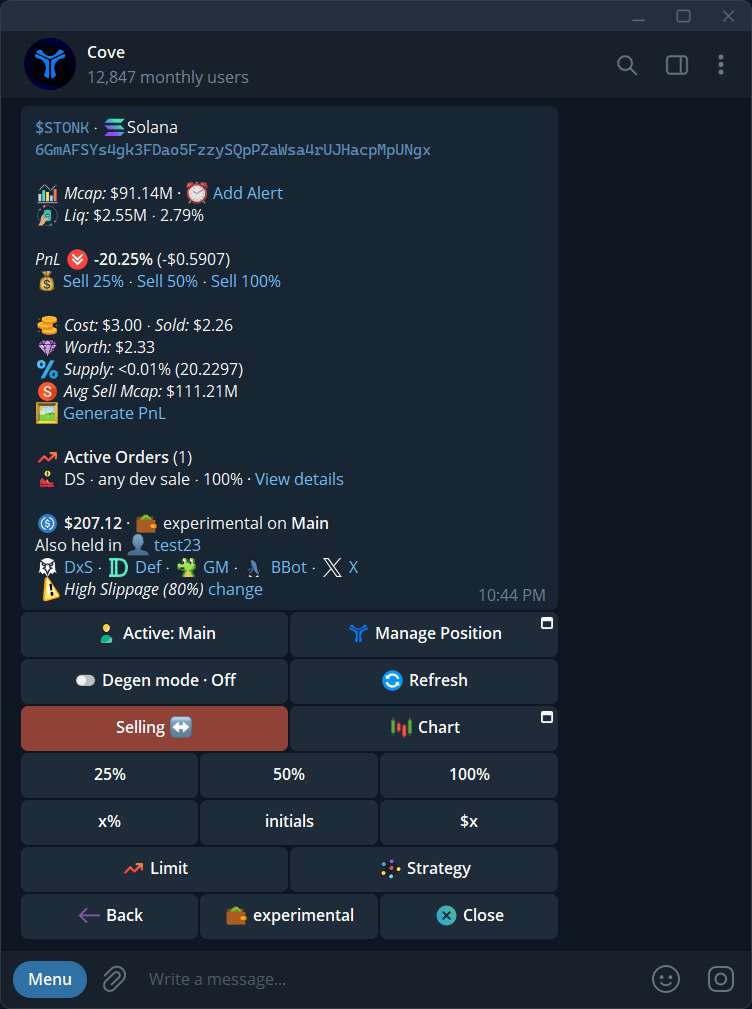
Limit and Strategy open different groups of orders.
Native tokens
To open the buying flow for a native token, type and send its ticker in the Cove chat with a dollar sign:$SOL, $ETH, or $BNB.
- Send the ticker, including the $ prefix.
- If Cove offers a choice between a wrapped-token panel and a native-token purchase, choose Buy native for the native token. For example, after
$ETH, tap Buy native ETH rather than Open WETH panel on Base. - Select the network when prompted.
- In the buying panel, choose the amount and review any quote or confirmation before proceeding.
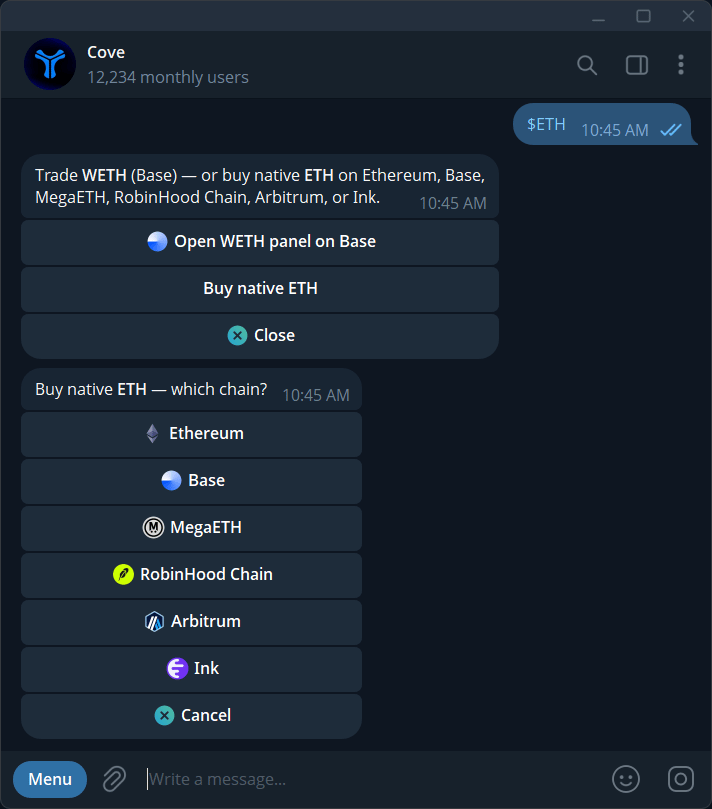
Send the ticker with a dollar-sign prefix, choose Buy native ETH, then select the network.