

/positions or choose Positions. The list shows holdings in the active profile, grouped by token and chain and aggregated across its wallets.
Read a position
The footer shows spendable balance, positions value, any parked funds, and the profile you are viewing.
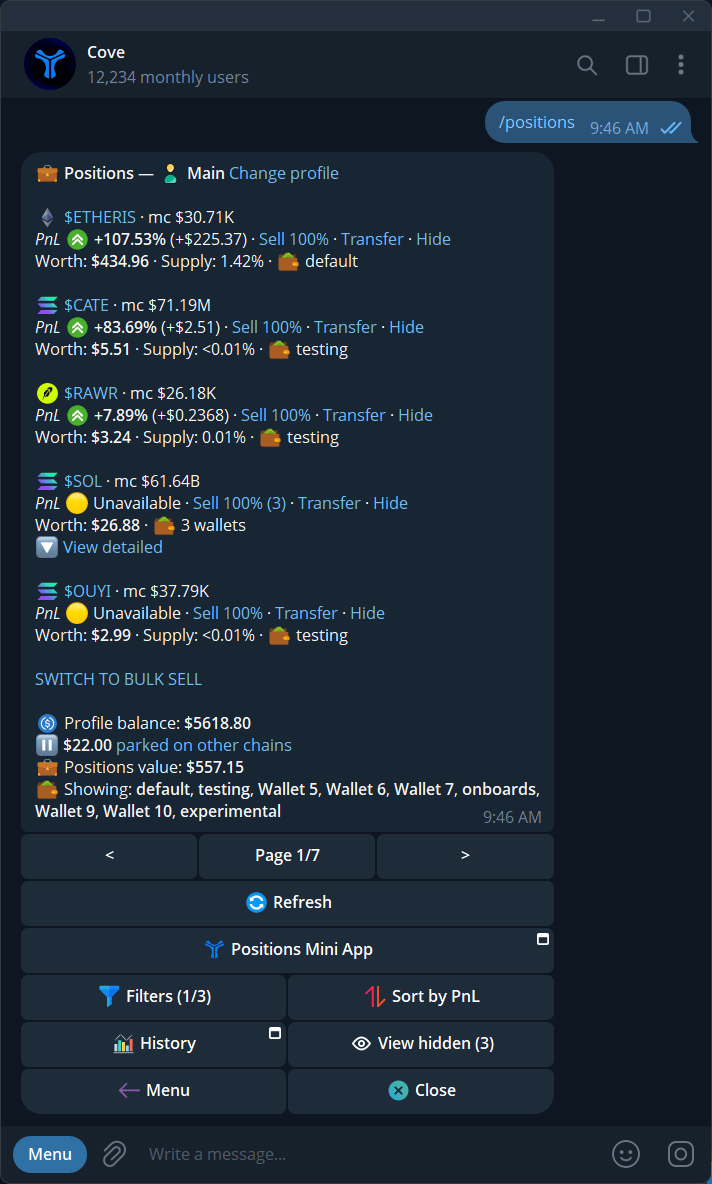
The Telegram positions list with token values, PnL, and portfolio controls.
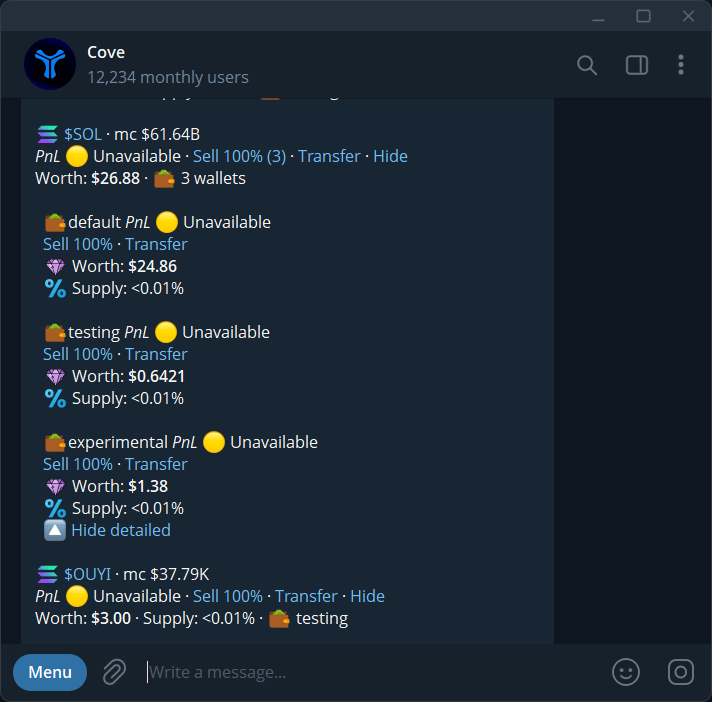
Detailed view of one token's holdings across wallets, with sell and transfer links.
Open or act on a holding
- Check the profile beside Viewing; use Change profile if needed.
- Tap the token to buy more, sell, or create an order.
- Expand View detailed for wallet-specific values and actions.
- Use Transfer to send the token without selling.
- Use Generate PnL for a share card.
Filter, sort, and hide
Open Filters for chains, wallets, dust, liquidity, suspicious tokens, and native/wrapped tokens. Sort offers Worth, Age, and PnL. See Position filters. Hide removes a token from the visible list. View hidden or the Mini App’s Hidden list lets you Unhide it. Hiding does not sell it.Understand incomplete numbers
A token received from outside Cove may lack a reliable cost basis. A row can disclose tracked / untracked or covered / total wallets. Treat its PnL as partial, even if a balance is visible. Unavailable does not mean zero profit or zero holdings. Native and wrapped-native tokens may show unavailable PnL. Use History and PnL for the difference between current-cycle and lifetime figures.More ways to view and exit
- Positions Mini App: a visual holdings interface.
- History: lifetime portfolio and PnL Calendar.
- SWITCH TO BULK SELL: sell selected positions in one run.
- Refresh: update the list.
Open the visual positions view
Tap Positions Mini App to browse the same portfolio visually. Check the profile, then select a token for its details. See Use the Mini Apps.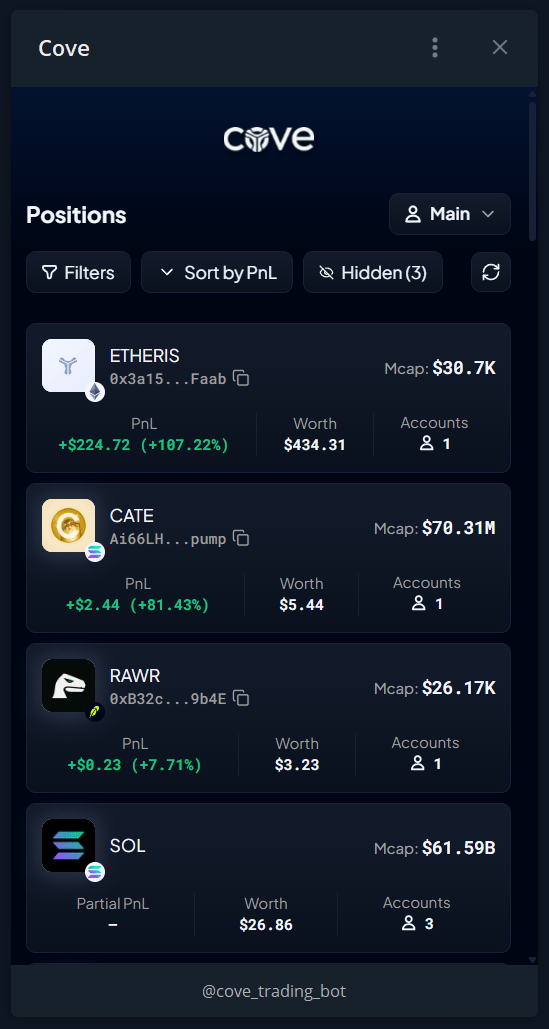
The Positions Mini App groups holdings by token and shows PnL, worth, and account counts.