

Set up a multi-wallet buy
1
Select the wallets
Open
/wallets and tap the wallets you want to include. Check their ✅ marks and Deployable (selected).2
Open the token and wallet settings
Paste the token address. Open the wallet picker and its Multi-account settings or preferences.
3
Choose Spend type
Select Split Total or Per Wallet. Check the total cost before choosing the amount on the trading panel.
4
Set optional timing and variance
Review Buy variance, Transaction delay, and Primary wallet first, where offered.
5
Buy and check each result
Return to the panel, choose the size, and submit. The combined receipt shows success, actual spending, and failures per wallet.
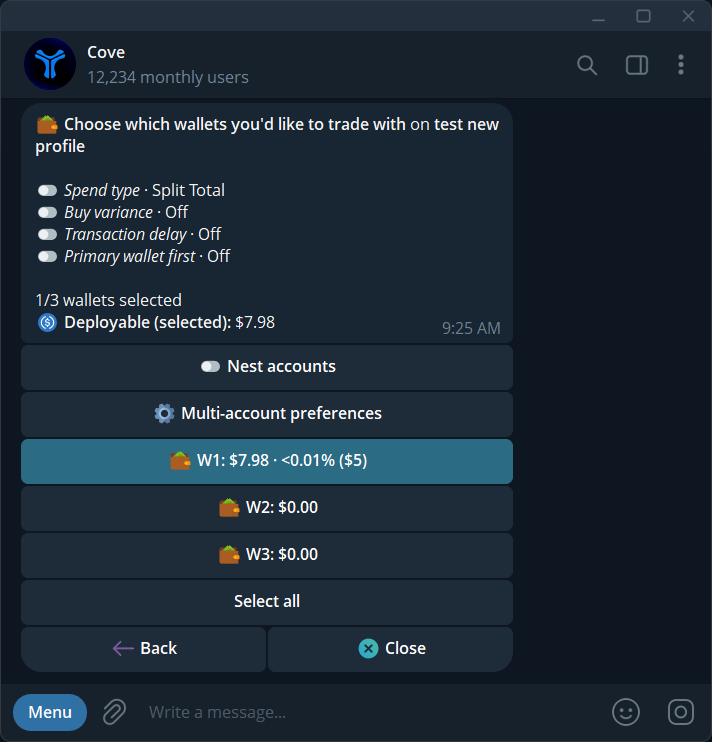
Multi-account settings for spend type, variance, transaction delay, and wallet priority.
Split Total versus Per Wallet
For an illustrative $100 buy with two wallets:Other settings
Variance and delay apply to buys. Use the values offered in the current picker; it shows which custom inputs are accepted.
Sell across wallets
Choose a sell percentage. Each selected wallet sells that percentage of its own holding. $-denominated sells are unavailable with multiple wallets; use a percentage or select one wallet.Review wallet holdings
Expand the token panel’s wallet details to compare each wallet’s position and PnL. This is a holdings view, not the trade receipt.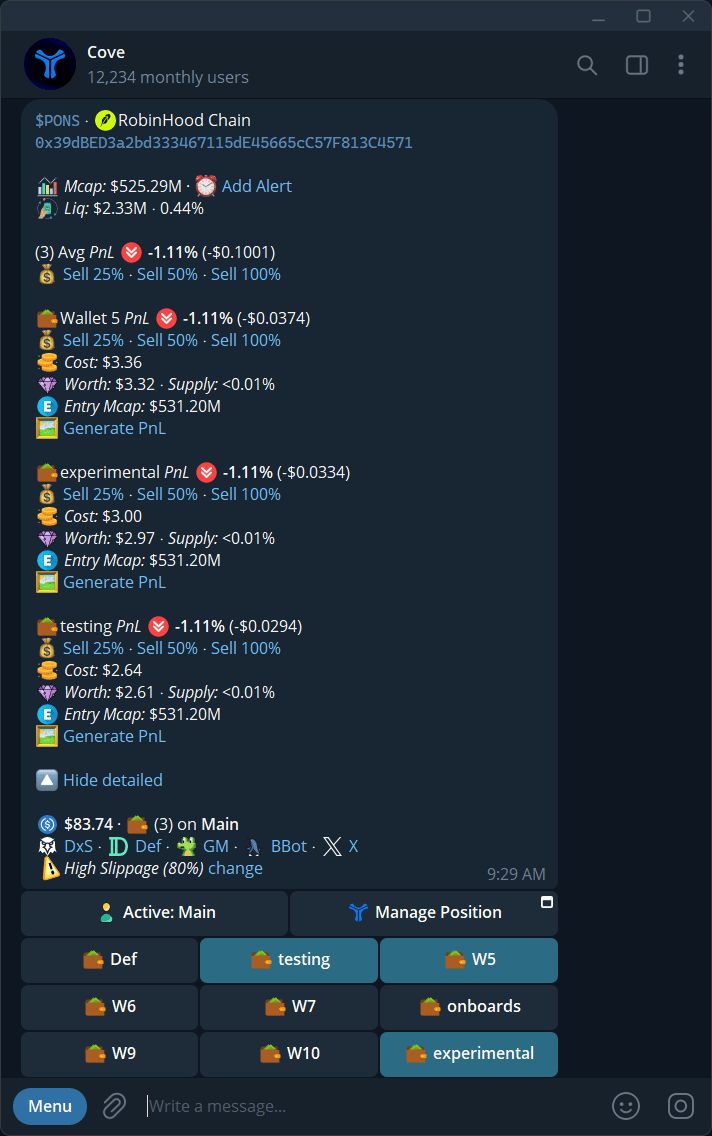
Expanded token holdings showing each wallet's position and performance.