

/positions → History to launch the Portfolio Mini App. Its figures cover a token’s lifetime trading history, which can differ from the current position shown in Telegram.
Review portfolio history
1
Open History
Check the active profile in Telegram, then open History from Positions.
2
Find a token
Search, select All / Open / Closed, or filter by chain and wallet.
3
Choose a sort order
Use Recent, Top PnL, Worst PnL, Top PnL %, or Worst PnL %.
4
Inspect the result
Read the token’s lifetime figures, any Partial label, and action tags such as Limit, SL, Breakout, or Transfer. Generate a PnL card where offered.
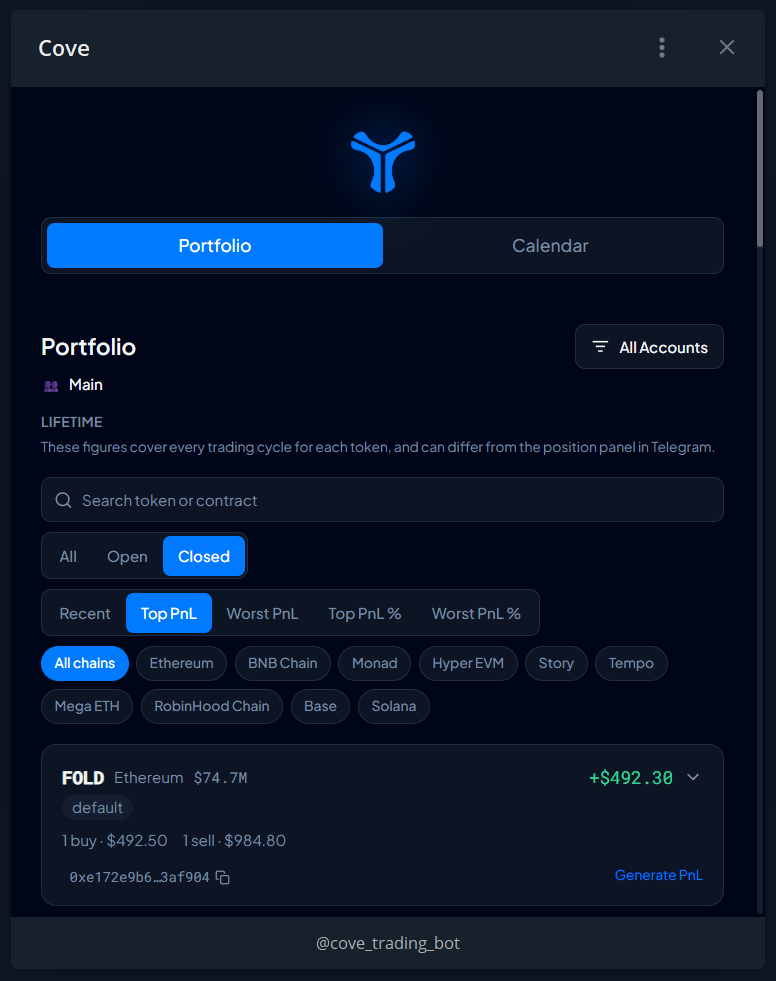
Portfolio history with All, Open, and Closed views, filters, and lifetime PnL.
Read your PnL
Example, before fees: buy $100 of a token, sell half for $80, and value the remaining half at $70. The sold half cost $50, so realized PnL is $30. Unrealized PnL is $20. Combined PnL is $50, or 50% of the original $100 cost.
Current cycle versus lifetime
The bot normally shows the current holding cycle, beginning when you entered from a zero holding. Portfolio history uses lifetime data across cycles. Enable Total PnL per token in Trade panel settings for lifetime headlines on the token panel. Check that both views use the same profile, wallets, and data coverage before comparing.PnL Calendar
Open the Calendar tab for daily Net PnL, Current Streak, Best Streak, and W/L.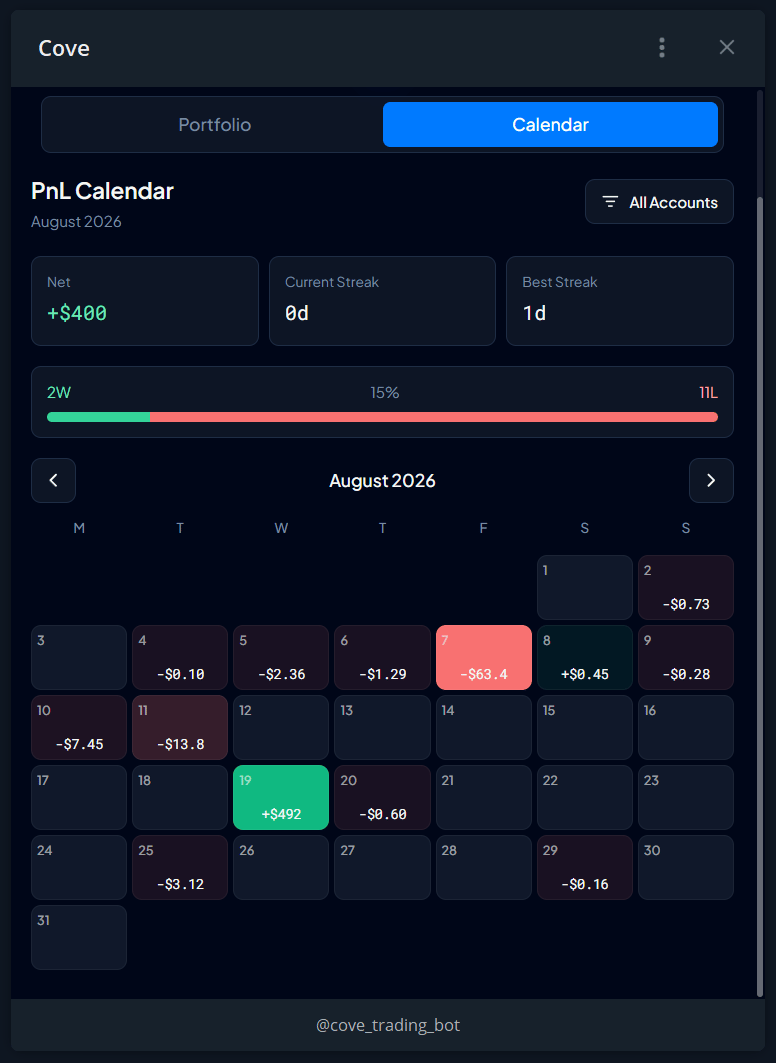
The PnL Calendar with daily results and trading streaks.