

/settings → Guardrails. These settings belong to the active profile. Check each current value before trading.
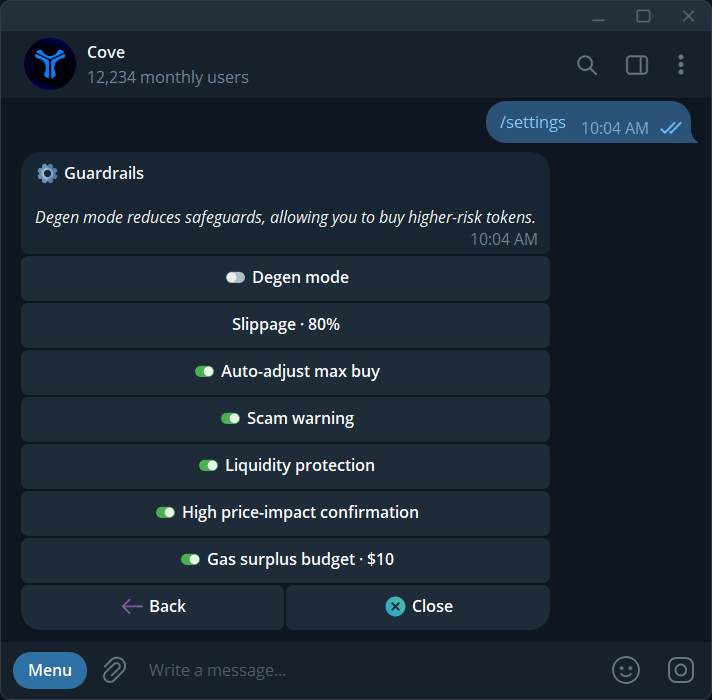
Guardrails and their current values in this example profile; these are not recommended settings.
Slippage
Slippage is the price movement you allow while a trade executes. It differs from price impact, which is how much the trade itself changes the market price.- Send
/slippage, use change on a token panel, or open Guardrails → Slippage. - Choose 10 / 20 / 40 / 80%, or Custom.
- Enter a value from 1–100% and check the updated slippage line.
Guardrail reference
Scam warnings
If the panel shows Scam warning, select Find out why to read the concern. Cancel leaves the buy. Buy anyway accepts the flagged trade; Disable scam warning changes the standing profile setting. With Scam warning on, flagged buys from auto-buy on paste, quick-buy, and group links are refused when no panel confirmation is available. Open the token manually to inspect it. A clean or pending scan is not a guarantee that a token can be safely bought or sold.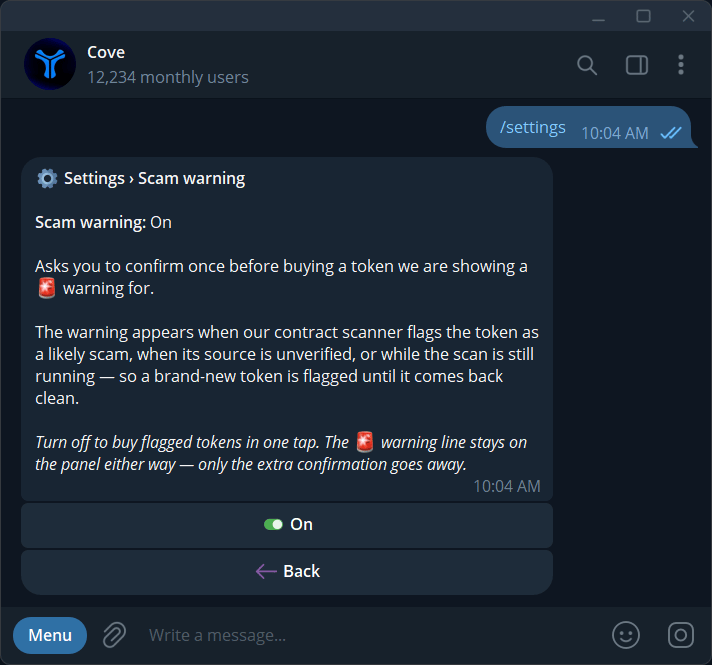
The Scam warning setting explains flagged-token confirmation.
Price-impact confirmations
Cove may request confirmation when estimated impact reaches 50%, or when it cannot verify the impact. The prompt shows what you spend and expect to receive. Sells are covered too.- Turning the setting off skips only the 50–90% confirmation band.
- Extreme impact at 90% or above and unknown impact still require review.
- If a refreshed quote is materially worse, Quote changed asks you to review again.
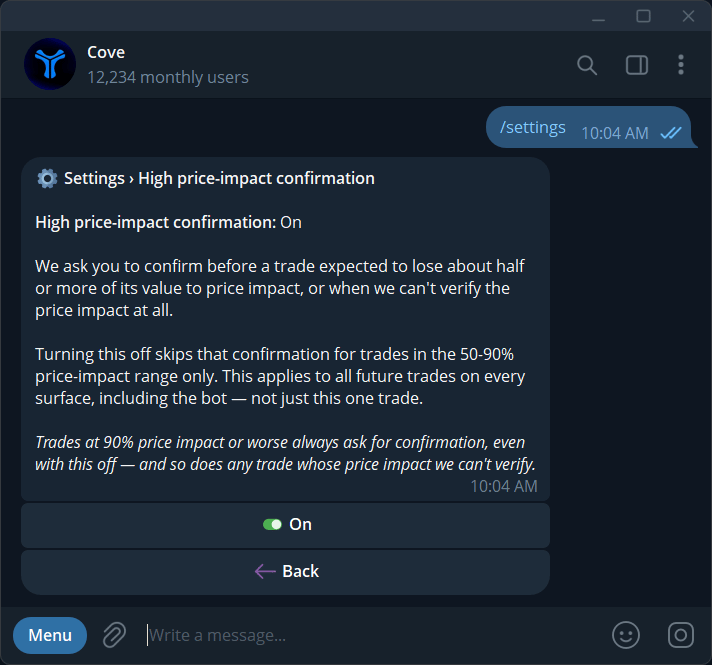
The High price-impact confirmation setting and the conditions that still require review.
Degen mode
Toggle Degen mode in Guardrails or the trading panel. It changes the three settings listed above while active. Turning it off restores saved values; editing slippage, liquidity protection, or max-buy adjustment exits Degen mode. Scam warning and high-impact confirmation remain independent.Gas surplus budget
- Open Guardrails → Gas surplus budget.
- Choose Off, $1, $3, $5, $10, or Custom.
- For Custom, enter $0–$50.
- Check the saved amount.
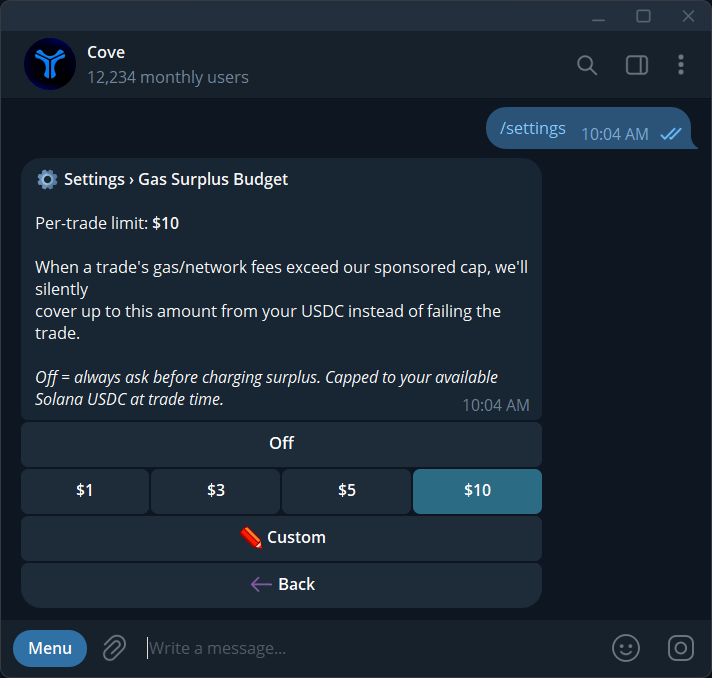
Gas surplus budget: choose Off, a preset, or a custom per-trade limit.