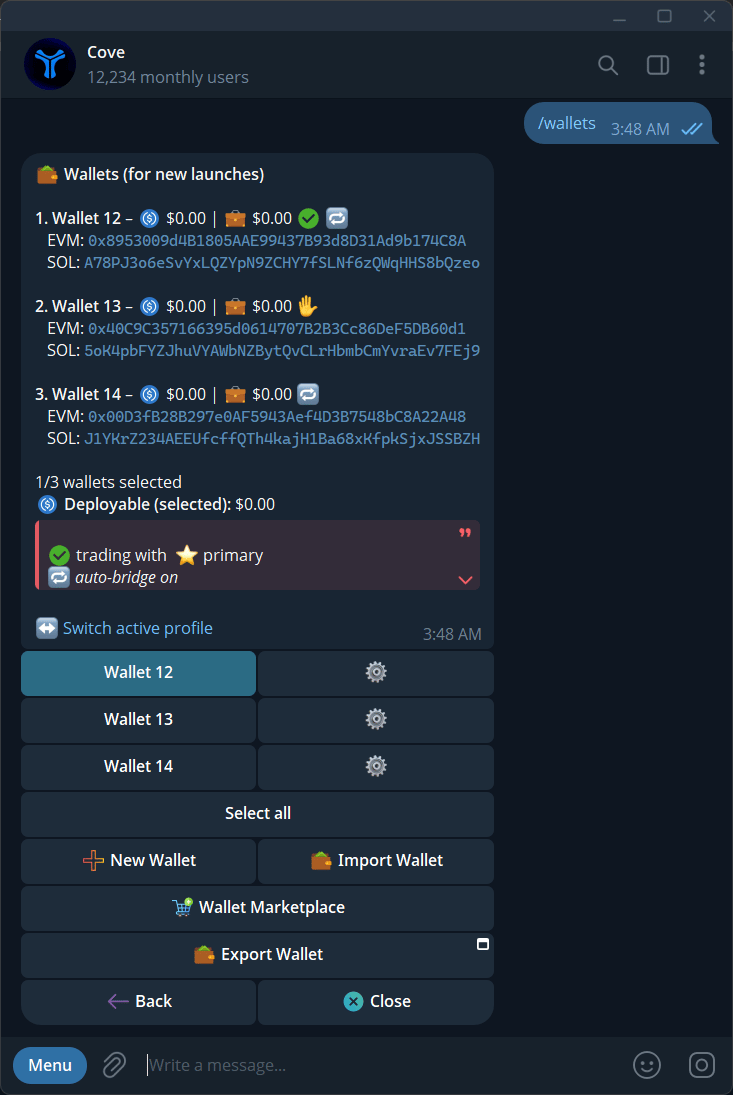
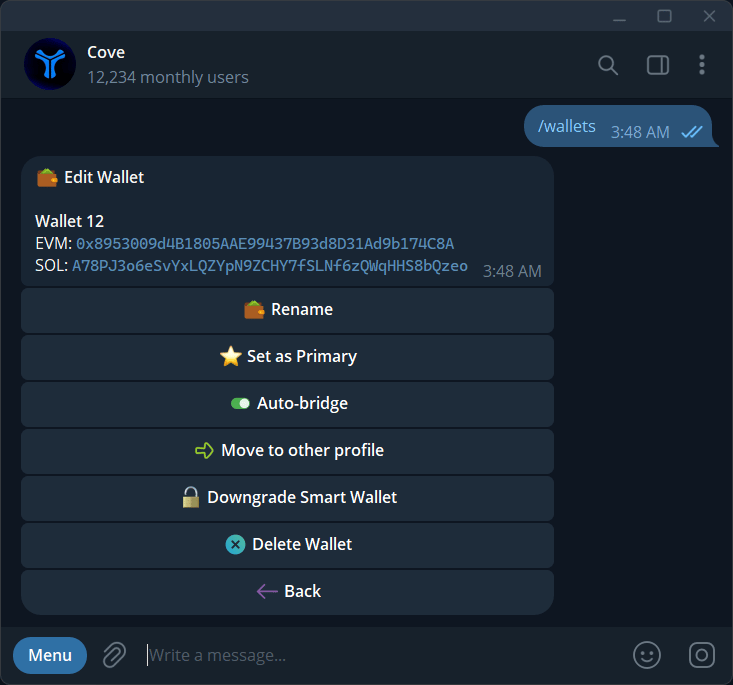
Open Accounts from the home screen to manage the wallets available to Cove.
Account roles
The Accounts panel shows the account label, EVM address, Solana address, balances, and active account state.
The Primary account receives funds from other users and future benefits shown by the product. Cove does not allow the primary account to be deleted. Use Set as Primary to change the primary account after reviewing the warning.
Use Rename to give an account a recognizable label. Use New Account to create another Cove account.
Import a wallet
Cove supports EVM and Solana wallet imports. The current flow lets you choose a wallet format, confirm the import in the Telegram flow, and assign a label.
- Open
Accounts.
- Select
Import Wallet.
- Choose EVM, Solana, or the available combined option.
- Complete the secure import flow.
- Assign an account label.
Never share a private key, seed phrase, authentication code, or other wallet secret.
Export and access removal
Use Export Wallet to open Cove’s secure Mini App flow. Perform exports only in the trusted product surface and store the result offline.
Some accounts use Privy signing access and smart-wallet infrastructure. Removing Cove or Privy signing access revokes Cove’s ability to trade through that account. The wallet itself remains under your control.
Delete or revoke an account
The current flow can require a Privy wallet-management Mini App and a smart-wallet downgrade or revoke step before deletion.
Before deleting an account:
- Withdraw or transfer the remaining funds.
- Review the account and wallet warning.
- Complete the Privy or Cove signing-access removal step.
- Confirm deletion in the secure product surface.
A deleted wallet can be re-imported if you still control it. Cove does not regain signing access until you explicitly import or reconnect it.
Never publish wallet addresses together with balances, usernames, private keys, seed phrases, or authentication codes.