

Create a card
1
Open the right position
In the intended profile, open the token or its 100%-sell receipt.
2
Choose Generate PnL
Tap Generate PnL. Portfolio and position Mini Apps can also offer this action.
3
Choose a format
Select Regular PnL for the full card, or Only % gain to omit dollar figures. Cancel leaves the flow.
4
Review before sharing
Cove sends the image to your chat. Check the token, numbers, and any partial-coverage caption before forwarding or downloading it.
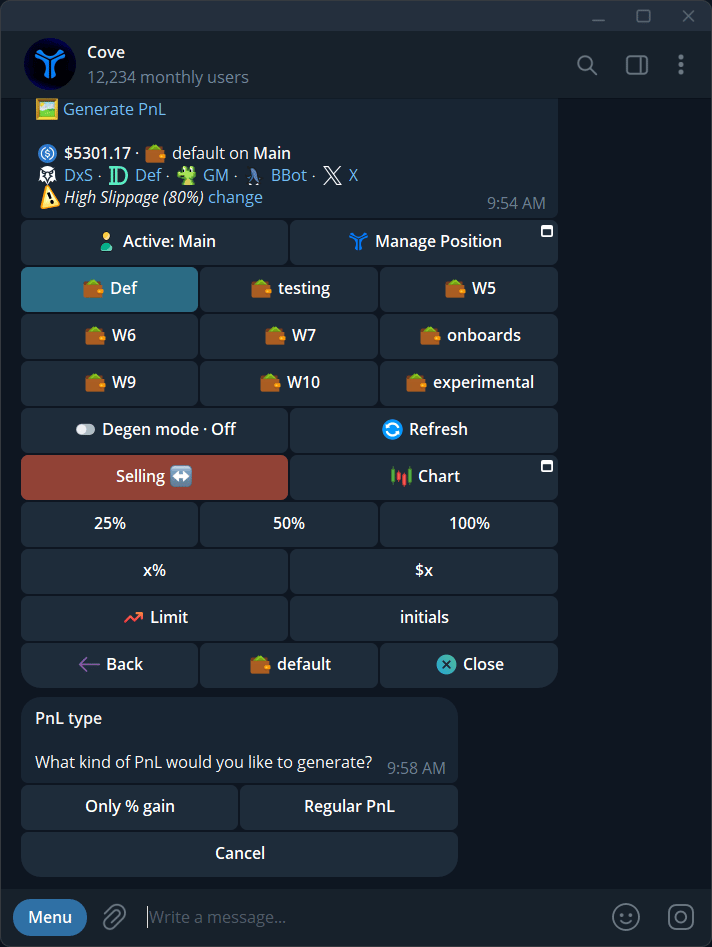
Choose Regular PnL or Only % gain before generating a card.
Which format should I use?
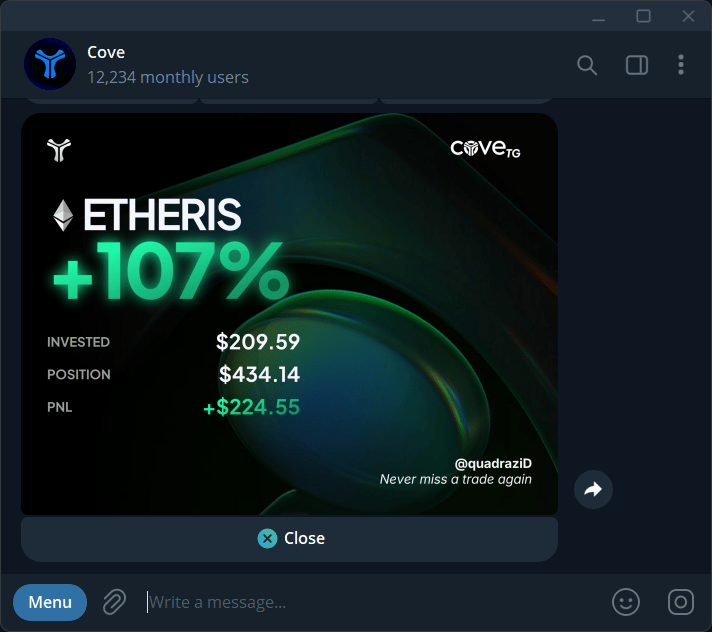
A Regular PnL card: percentage gain plus invested, position, and PnL amounts.