

Configure a ladder
1
Open Auto TP/SL
Choose Settings → Trade panel settings → Auto TP/SL.
2
Choose the side
Open Auto TP for profit targets or Auto SL for loss targets.
3
Set a level
Choose its trigger percentage and Sell %. Take-profit gains allow 1–100,000%; stop-loss losses allow 1–99%; sell size allows 1–100%.
4
Choose sell sizing
Check Sell size → % of entry or % of remaining. Read the examples below before adding several levels.
5
Add levels where available
Use Add level or Delete. Review the total allocation and estimated return summary. Enable the intended side.
6
Verify after your next buy
Open
/orders after an eligible purchase to confirm the expected exits were created.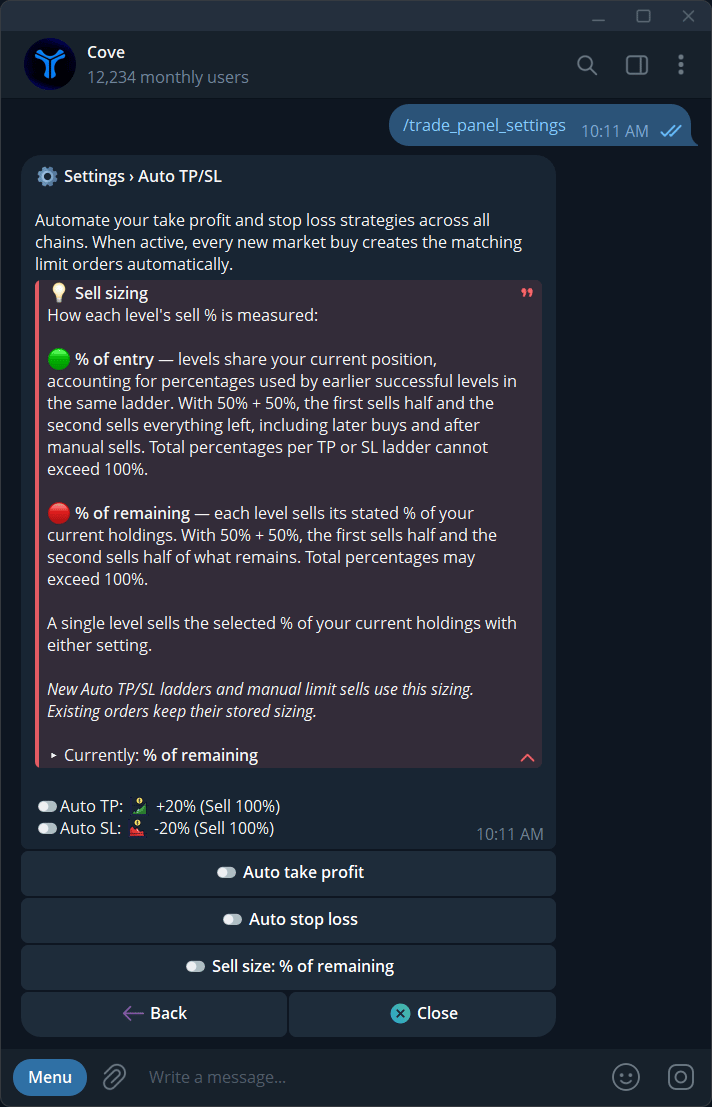
The Auto TP/SL hub explains sell sizing and shows the automation toggles.
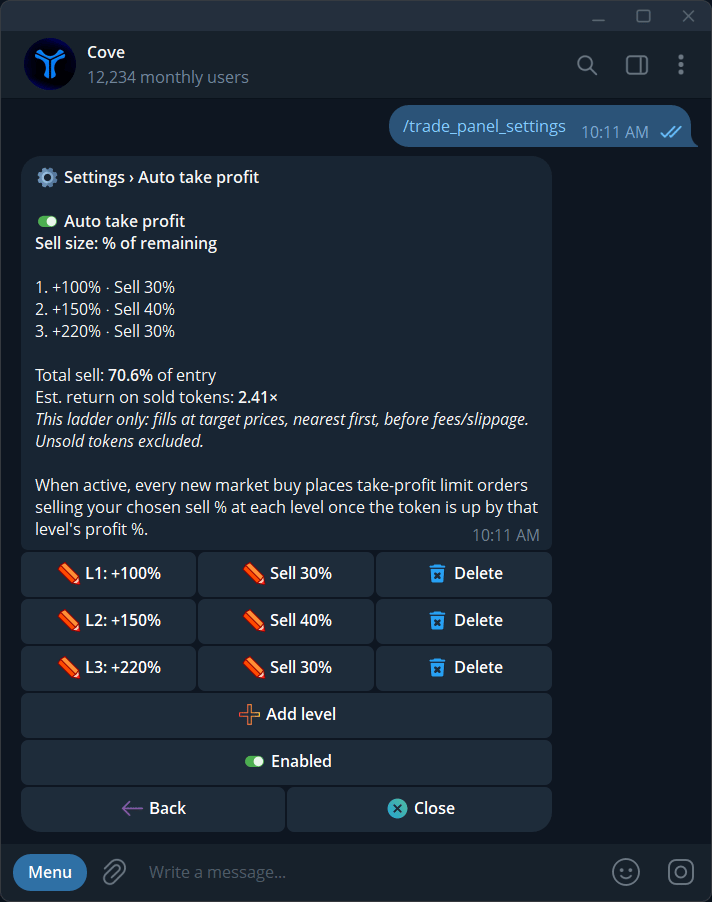
An Auto TP ladder with editable gain levels, sell sizes, and a total-sell summary.
Accounts with multi-level controls can configure up to 20 TP levels and 20 SL levels. If Add level is absent, use the single level available in your account.
Understand sell size
The default basis is % of remaining.
Entry-based allocations cannot exceed 100%. The product may show 100% of entry allocated when you need to reduce a level before adding another. This sell-size basis also affects manual multi-step limit sells.
The Total sell and Est. return on sold tokens summary assumes fills at targets, nearest first, before fees/slippage, and excludes unsold tokens. It is not a forecast.
Buying more and existing orders
A later buy can re-anchor Auto TP/SL targets to the updated average entry. Cove avoids stacking another set when active sell orders already exist for the token. Some accounts offer live-position sizing for entry-based allocations. Review the actual order sizes after additional buys or manual sells; do not assume existing quantities rebalance automatically unless that behavior is confirmed for your account. USDC, native-token, and automatic bridge operations do not create these exits.Disable or change the rules
Turn Auto TP or Auto SL off to stop future automatic creation for that side. Edit levels for future setup, then separately inspect active orders in/orders. Do not assume changing the rule cancels protection already placed.