

Import one wallet
1
Choose the wallet type
In the intended profile, open
/wallets → Import Wallet → EVM Only, Solana Only, or Both.2
Provide the requested key
Follow the private-key prompt. Cove removes the submitted message from the chat. Keep your own secure backup; message deletion does not replace careful handling.
3
Name and confirm
Enter an optional Wallet Label or skip it. Review the wallet and tap Confirm Import.
4
Check the result
Open
/wallets and select the imported wallet if you want it to trade. An individually imported wallet normally starts with Auto-bridge on. Review its per-wallet setting before sending other-chain stablecoins; turn it off first if you want to approve bridges yourself.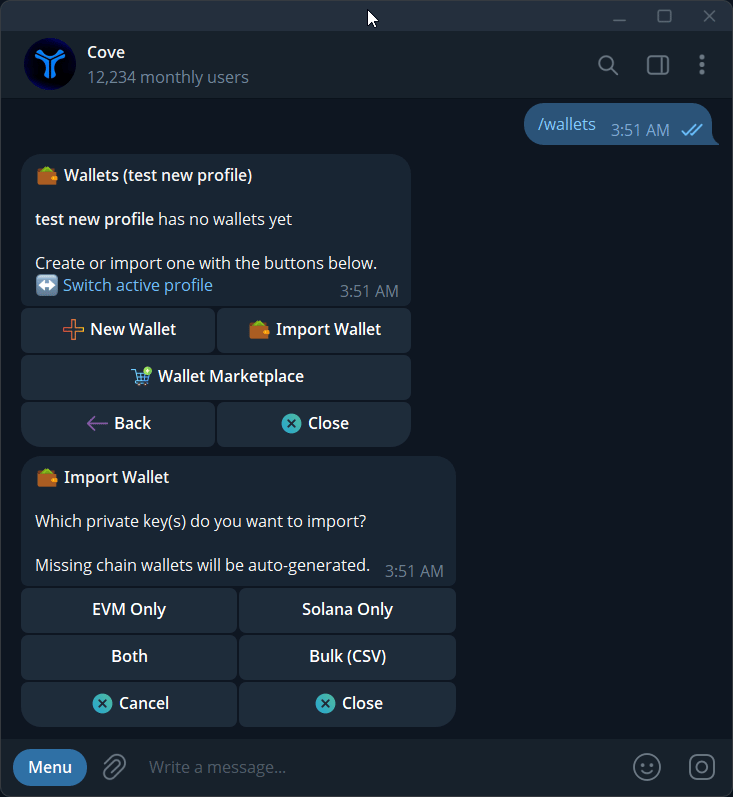
Choose EVM Only, Solana Only, Both, or Bulk (CSV).
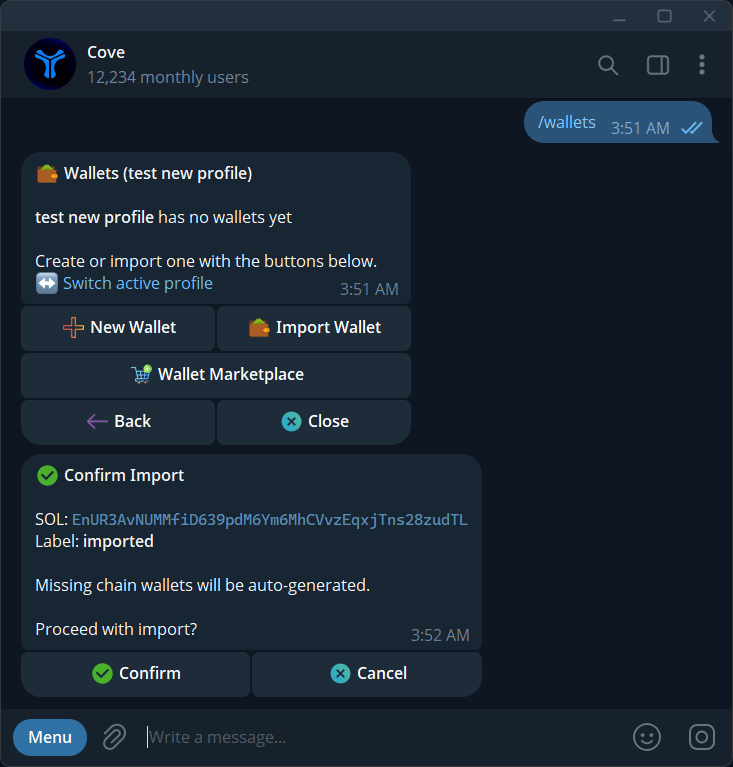
Confirm a wallet import using its public address and label. No private key is displayed.
Import a CSV batch
Choose Bulk (CSV) to paste rows or upload a .csv or .txt file. Limits: 10 wallets, 64 KB, and the free slots in your profile. Columns are an optional name, EVM key, and Solana key. The header is optional. Keep empty cells. Names can contain up to 32 characters and cannot contain commas.0x; Solana keys use base58.
- Open Import Wallet → Bulk (CSV) in the intended profile.
- Paste or upload the batch. Correct any per-row validation errors.
- Review the labels, shortened addresses, and statuses in Review wallet imports.
- Tap Import with the displayed count.
- Wait for Wallet import results and check every row.
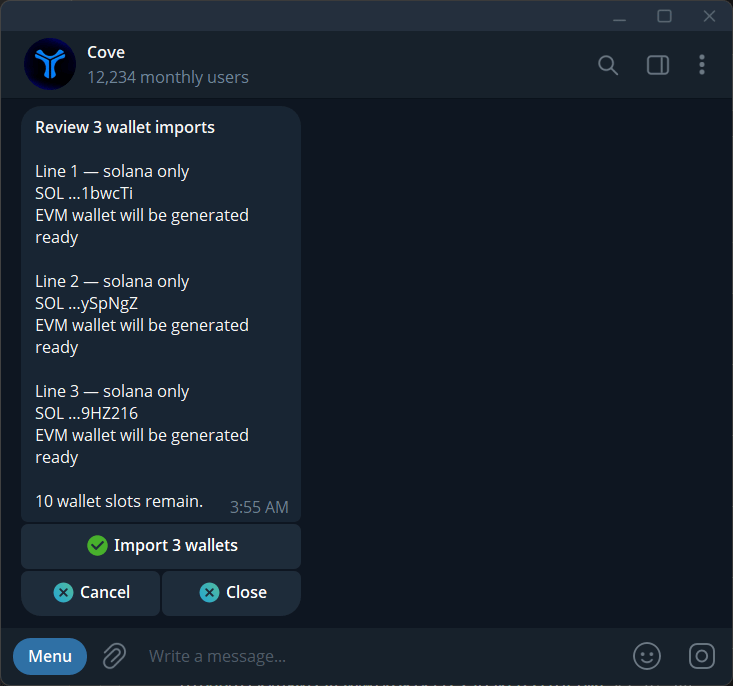
Review a CSV batch's wallet summaries and remaining slots before importing.
Import Husher-delivered wallets
If Husher delivered private keys for wallets you own, open/wallets → Import → Bulk import in the official Cove bot. Paste the delivered keys or provide a text file when the current panel offers that option. Review the eligible wallet addresses before confirming. When the active real profile has fewer free slots than eligible wallets, the preview includes only the first entries that fit.
This is distinct from the CSV batch format above. File types can differ by bot environment, so follow the current import prompt rather than assuming a JSON upload is available. Treat every delivery file as private-key material: do not send it to support or a group, and remove temporary plaintext copies when no longer needed.
Resolve import issues
Secure your backups and remove temporary key files when no longer needed. Do not attach an import CSV to support.