

If
/profiles says profiles are unavailable, your wallets are unchanged. Use the wallet tools available in your account.Create a profile
1
Open Profiles
Send
/profiles, or select Manage beside Active profile on /start.2
Give it a name
Tap New profile and send a name of 1–24 characters. Cove creates the profile and switches you into it.
3
Choose your settings
Copy settings from an existing profile, or Start fresh. Copying includes presets, slippage, confirmations, auto-buy, and TP/SL setup. Wallets, positions, and wallet selection are not copied.
4
Add a wallet and funds
In
/wallets, create or import a wallet, or move one from another profile. Use Simple transfer to fund it from another profile.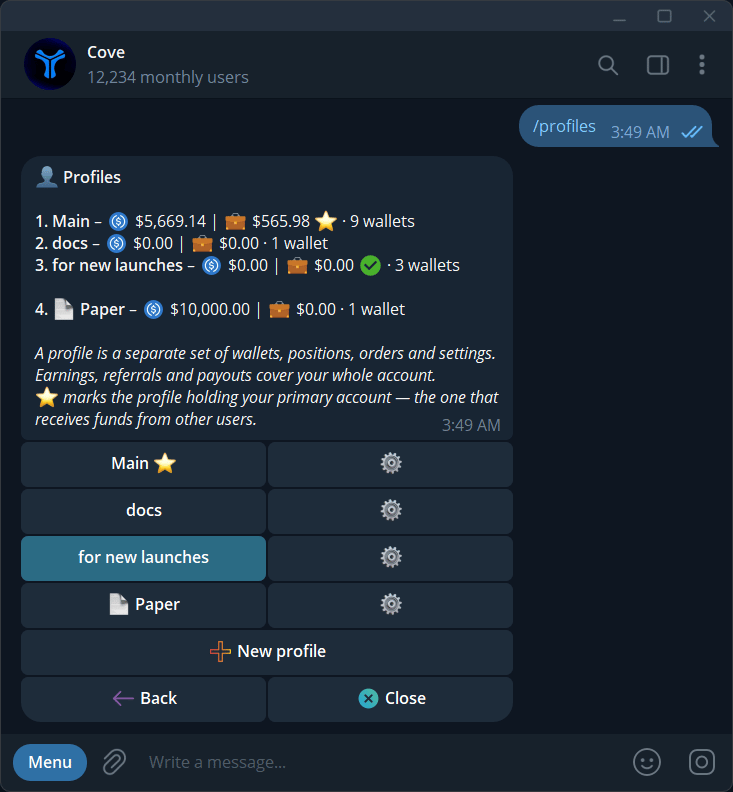
Profiles and their balances, wallet counts, active selection, and settings.
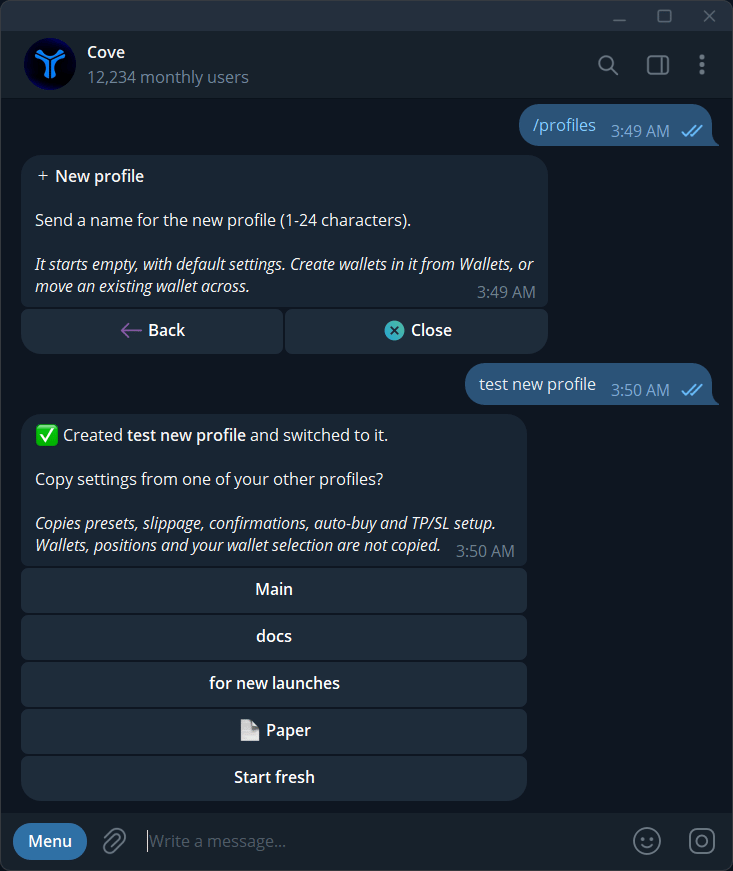
After creating a profile, copy another profile's settings or choose Start fresh.
Switch, rename, or move a wallet
Tap a profile row in/profiles to switch. You can also use Active on trading panels, Change profile in Positions, or Switch active profile in Wallets. The profile’s ⚙️ → Rename changes its name.
To move a wallet:
- Open the profile that currently contains it.
- Go to
/wallets→ its ⚙️ → Move to other profile. - Choose a destination with a free slot and follow the confirmation.
- Check the wallet in the destination profile.
Archive and restore
Open a profile’s ⚙️ → Archive. If it contains wallets, review the warning before Archive anyway. Restore it from/profiles → Archived → Restore.
The original default profile can be renamed but cannot be archived. ✅ identifies the active profile; ⭐ identifies the profile containing your primary wallet.
What belongs to a profile?
See Settings scope.