

/trending for tokens drawing activity, /runners for tokens with the largest gains in a chosen window, or /s to search by ticker or name. These lists help you find a token; they are not trading recommendations or safety checks.
Trending
- Send
/trending. - Select 5m, 1h, 4h, 12h, or 24h. The selected window is highlighted.
- Open Chains to choose which networks the list covers. The button shows the selected count.
- Tap Refresh for a new list, or choose a token’s ticker to open its trading panel.
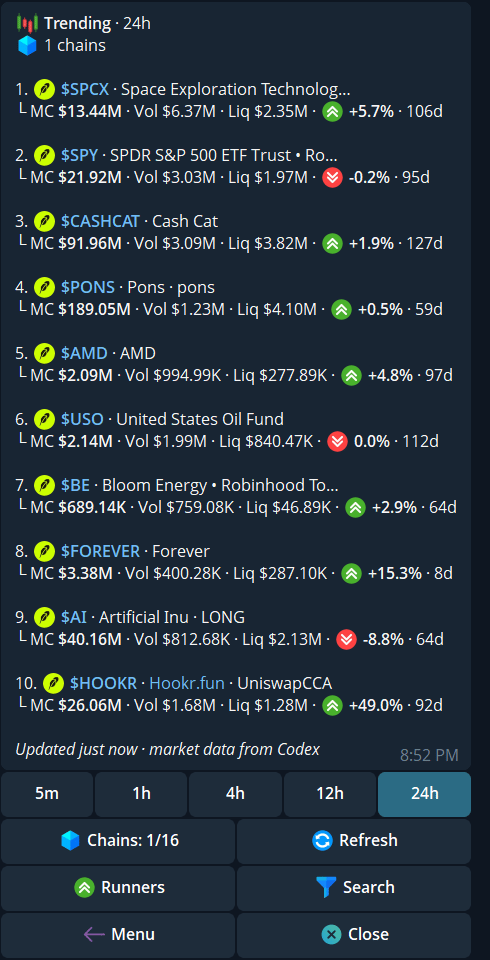
Trending with the 24h window, chain filter, and refresh control. This account has one chain selected.
Runners
Send/runners, or tap Runners from Trending. Choose the window and chains in the same way. Runners requires at least $10,000 liquidity and $50,000 market cap for a token to appear. The thresholds are shown above the list; they do not guarantee that a trade will execute or that the token is safe.
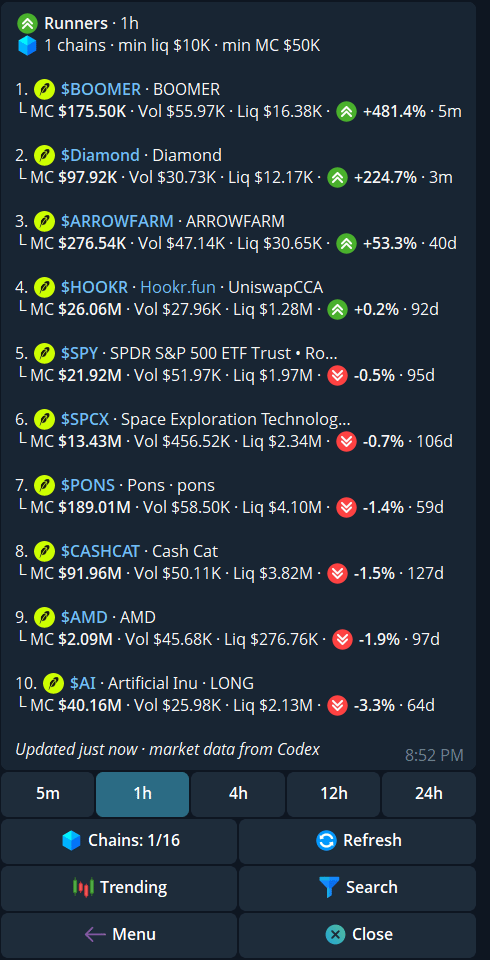
Runners shows its liquidity and market-cap thresholds above the ranked list.
Search by ticker or name
- Send
/s, or tap Search from either list, then reply with a ticker or token name. - Read the chain, contract or pair snippet, MC, Vol, and Liq for each result. Several unrelated tokens can share a symbol.
- Choose Auto, MC, Liq, or Vol to change sorting. Use the page controls when more results are available.
- Tap a result to open its token panel. Verify the full address and chain before trading.
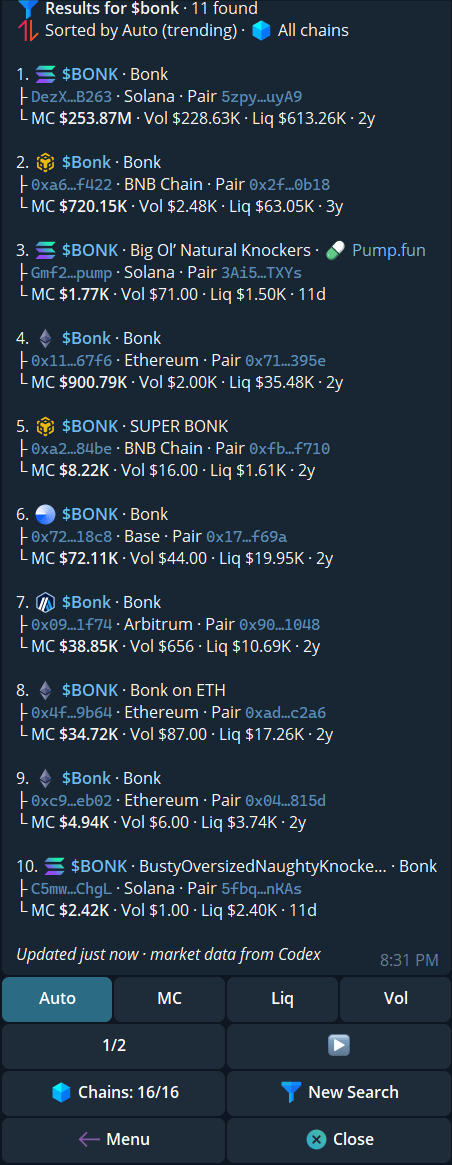
A name search can return several tokens with the same symbol; check the address and chain.
/trending, /runners, or /s. A row’s market figures can change between the list and the live token panel; review the fresh panel and any trading guardrails.