

Choose the percentage reference first
Open Settings → Trade panel settings → Manual TP/SL basis.
For illustration, you bought at 1m market cap and the market is now 1.5m. A 20% down target is 1.2m with Market price or 0.8m with Entry price.
This reference is captured when you place a manual order; later buys do not move it. With multiple wallets, entry-based targets can differ. If entry is unavailable, Cove falls back to market and tells you.
Create an exit order
- Take-profit
- Stop-loss
1
Open the holding
Send
/positions, check the profile, and open the token.2
Choose the order
Tap Limit → Selling and stay on the Limit tab.
3
Set the trigger and sell size
Choose an upward trigger preset such as 1.5x or 2x, or tap custom for a positive percentage, multiple, or market-cap target. Choose a sell amount preset or custom percentage from 1–100.For example, +50% means a 50% rise; 2x means twice the reference.
4
Review and create
Choose Market or Dynamic for this take-profit step. Check basis, target, wallets, size, and expiry. Tap Create take profit (or Create orders for multiple steps), then verify it in
/orders.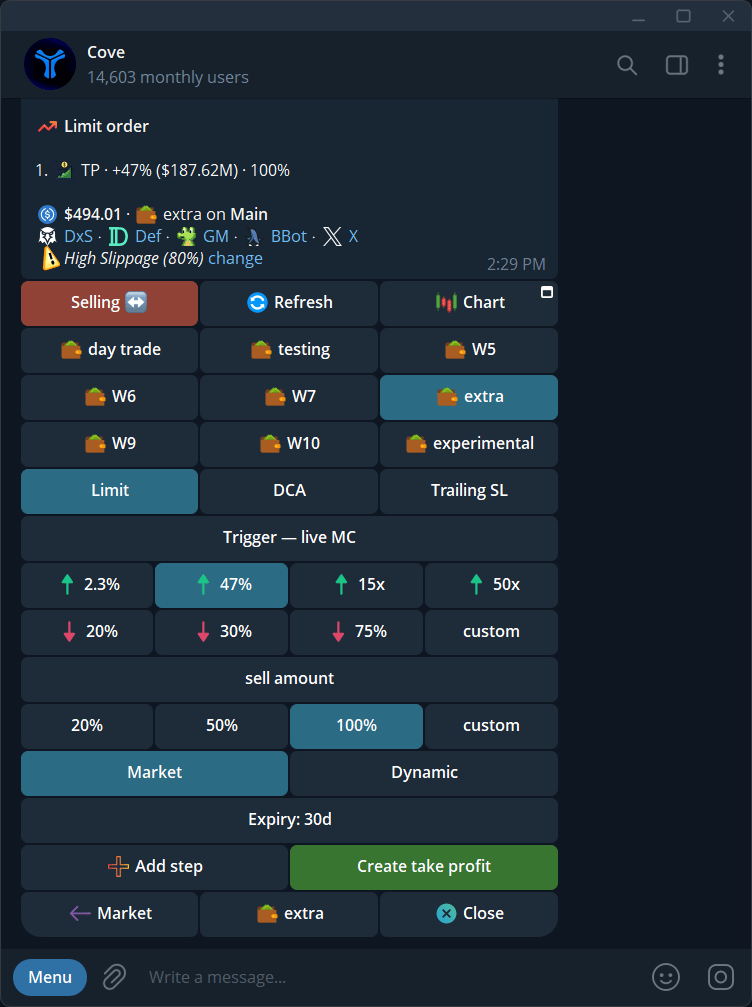
Selling Limit panel with upward trigger, sell amount, and Market / Dynamic style.
Use breakeven
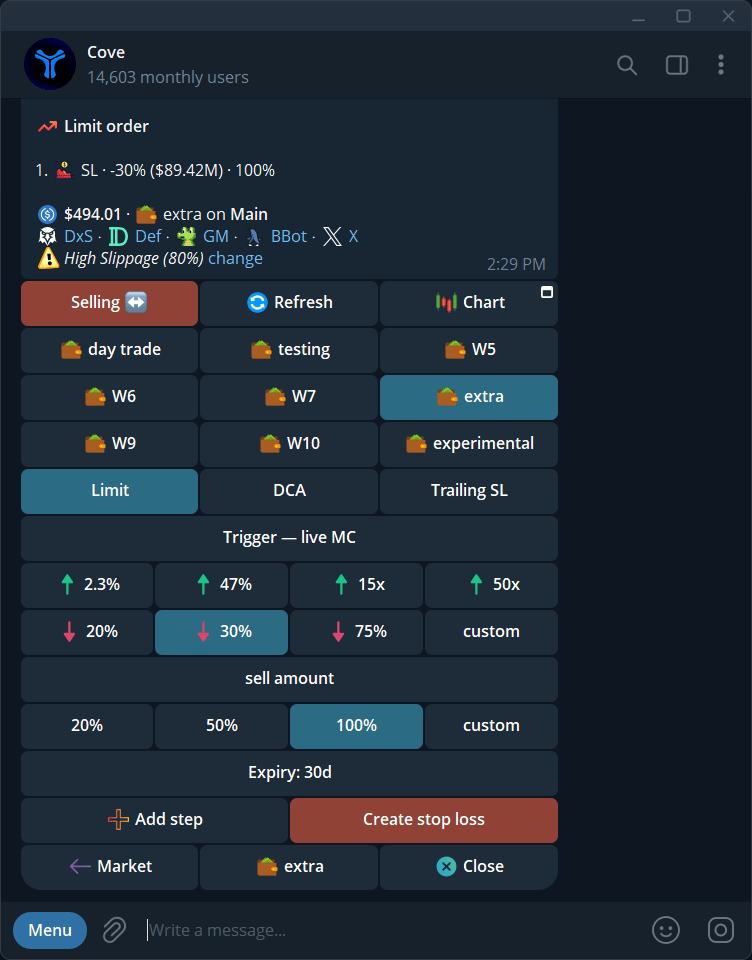
In the custom trigger input, enter be or br to use your entry market cap. Set the sell size, review, and create the stop. An entry value must be available and the target must be valid. Breakeven describes the trigger, not guaranteed net recovery after fees, slippage, and price movement.Multiple levels and allocation
Add up to three manual steps. You can mix upward take-profit and downward stop-loss triggers in one setup; its button then says Create orders. Review each step’s direction, amount, and sell style. The Sell size basis controls whether percentages allocate from entry or from what remains. See Auto orders sell sizing.Market or Dynamic take-profit
In thin liquidity, selling an entire position at once can push the price down. Dynamic take-profit tries a smoother exit: Cove sells smaller amounts when needed, at the target price or better, and waits with the remainder until the price allows. The remainder may never fill before expiry. Cove chooses piece sizes from live quotes; you do not set a piece count or retry interval. Market instead tries to sell the whole take-profit allocation at the available quote when the target fires. The Dynamic option appears only for take-profit steps. Stop-loss steps remain Market. You can also select Dynamic for future automatic take-profit levels in Auto orders.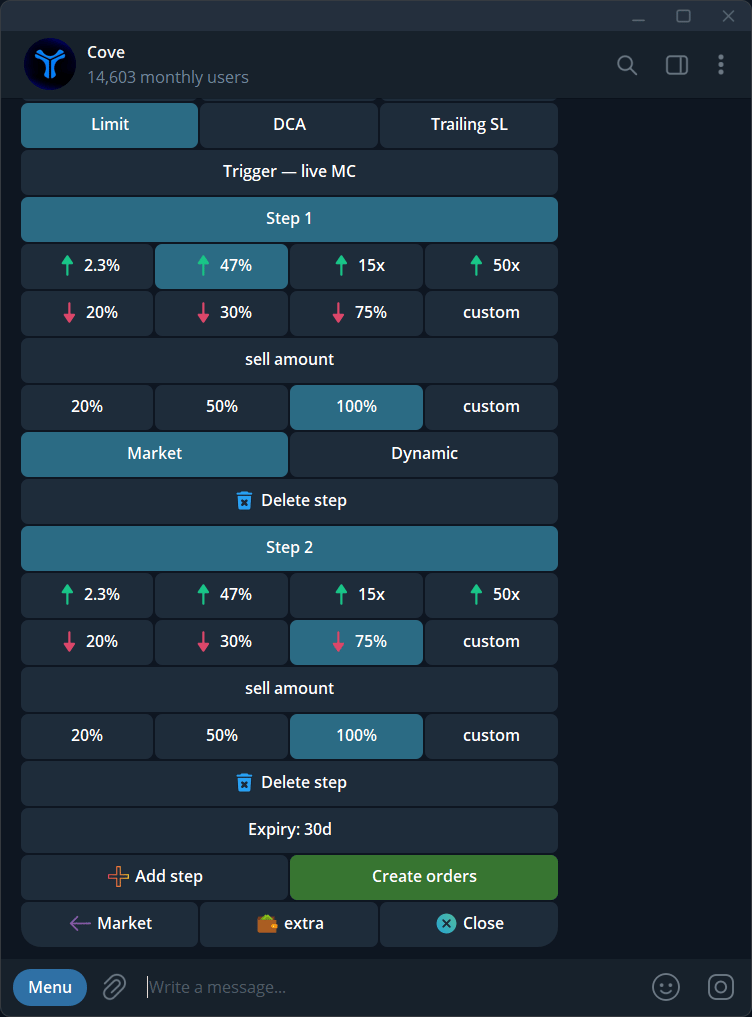
One upward and one downward step with Create orders.