

Buy a dip
1
Open the token and choose wallets
Paste the contract address. Check the chain, active profile, selected wallets, and available USDC.
2
Open the limit builder
Tap Limit and choose Buying on the Limit tab.
3
Choose the trigger type
Select By Market cap for a fixed capitalization, or By % for a move from the market when you place the order.
4
Set the target
For market cap, enter a value below the current cap, such as 800k. For a dip percentage, enter a negative move such as -20.Accepted market-cap shorthand includes 45k and 12.5M.
5
Set spending and expiry
Open Spend and enter the USD amount. Review Expiry; the default is 30 days and the allowed range is 1 minute–30 days.
6
Place and verify
Review the target, spend, wallets, and expiry, then tap Place limit buy. Open
/orders and verify the new order in the correct profile.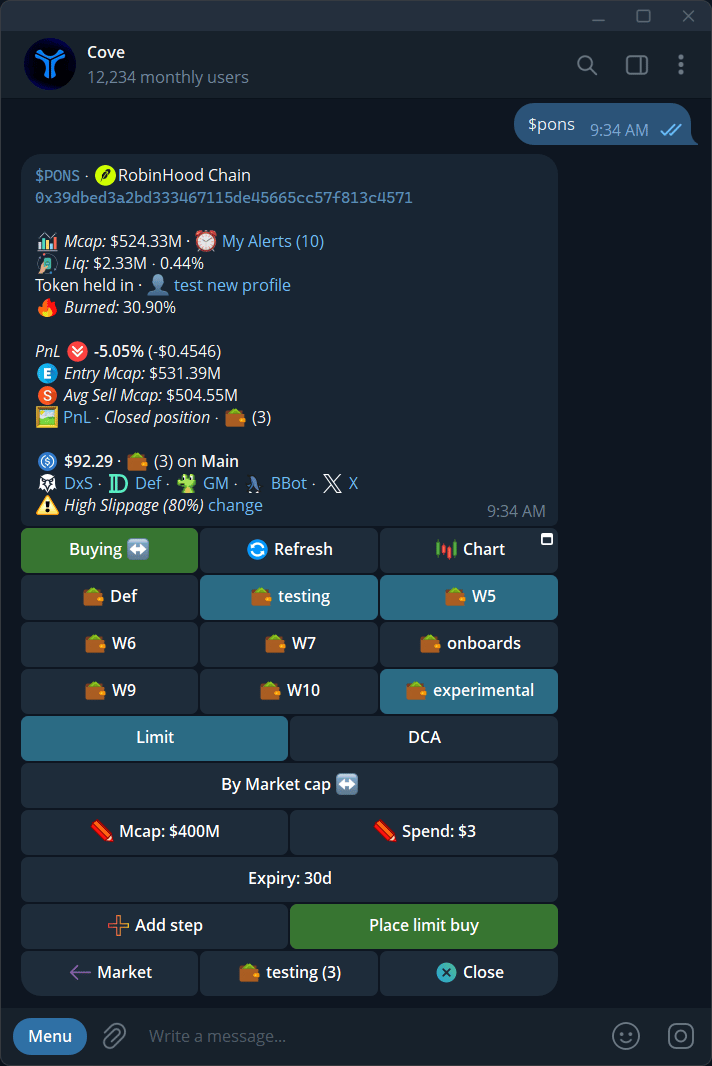
A limit-buy form with target, spend, expiry, and selected wallets.
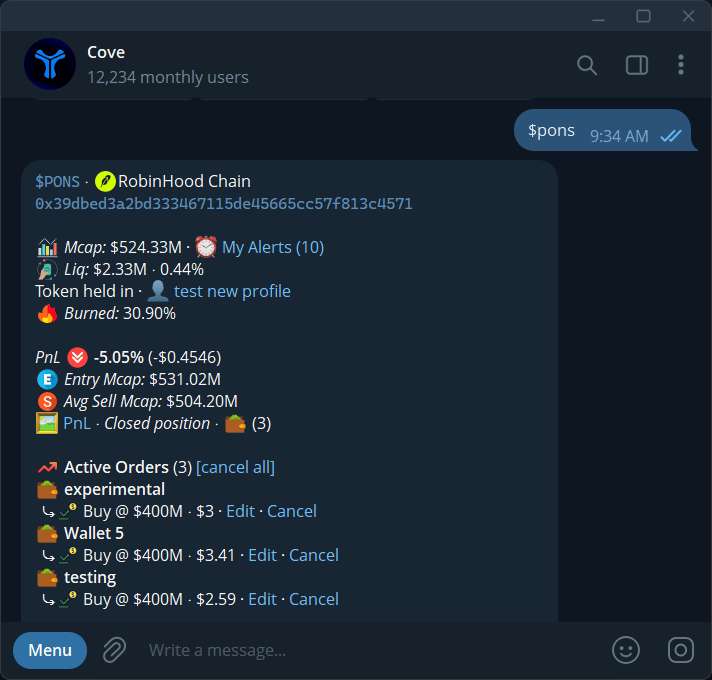
Active limit buys shown on the token panel, with wallet, target, spend, Edit, and Cancel.