

Which order do I need?
Understand triggers and execution
For example, a $1 million market-cap target means the order waits for the token’s market cap to reach that level. It is not a request to trade $1 million. Once triggered, an order executes at the available market quote with applicable settings. A target does not guarantee the fill price or proceeds. Fixed take-profit and stop-loss orders can also react to a brief price wick and execute after the price has moved again. Trigger checks are typically around tens of seconds; network and market conditions can delay execution. Thin liquidity, slippage, fees, or token restrictions can prevent a fill.Shared controls
- On the buy side, open Limit → Limit / DCA for a limit order or Price ladder. Open Strategy → DCA Time Interval for a timed plan.
- On the sell side, Limit contains Limit, DCA Price ladder, Dev Sell, and Trailing SL. Strategy contains Counter Strategy and DCA Time Interval.
- Buy orders use USD spend; sell orders use a percentage of the holding.
- Default expiry is 30 days, with a minimum of 1 minute and maximum of 30 days.
- Native and launchpad panels do not offer these automated-order controls.
- Manage pending orders in
/orderswithin their profile.
Manual alerts expire after 7 days by default; automatic alerts after 5 days. Alert expiry is different from order expiry.
Before placing several orders
Check combined spending and sell allocation, selected wallets, the manual TP/SL basis, and existing active orders. Do not assume every pending order has funds reserved: keep sufficient spendable balance and review the actual panel. In Price ladder, DCA orders are independent market-cap triggers, and several rungs can trigger close together. In Time Interval, one piece is attempted per interval when the optional price range permits it. An active plan can remain waiting for price or expire before all pieces fill.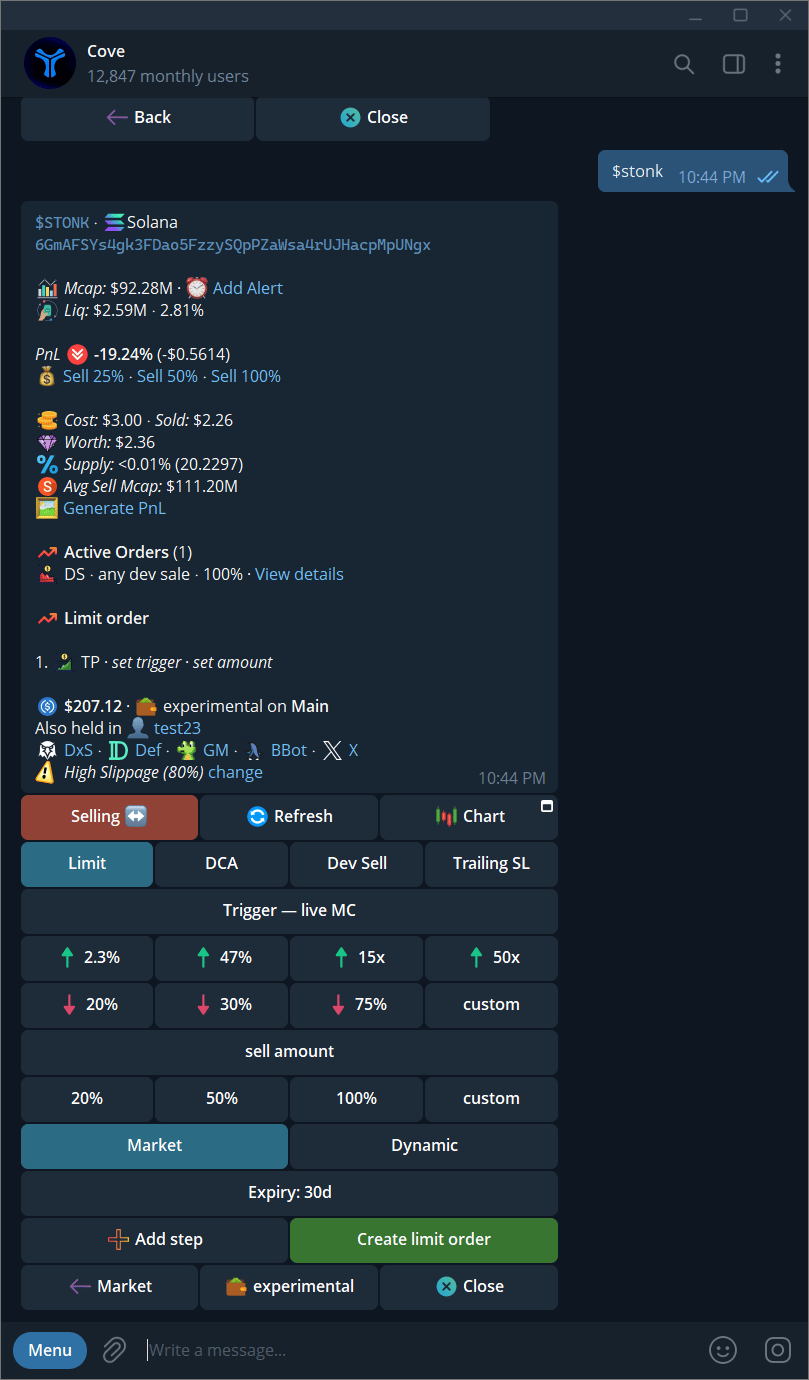
The sell-side Limit screen has four order types.