

/transfer to open Transfer USDC. These transfers use USDC on Solana, with a minimum of $0.01. Check available funds and any displayed cost before the final send action.
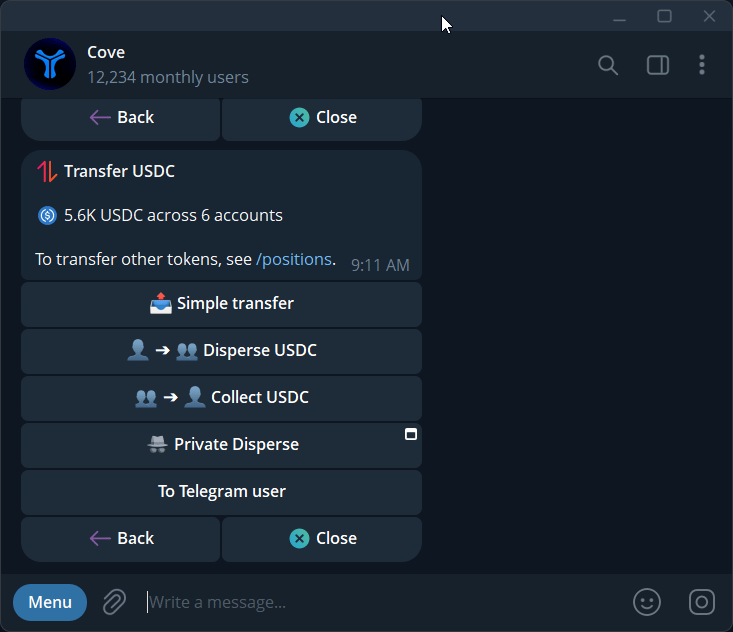
The USDC transfer menu: simple transfer, disperse, collect, and other available options.
Transfer between your wallets
1
Choose Simple transfer
Open
/transfer → Simple transfer and select the paying wallet.2
Choose the receiving wallet
Pick your destination wallet. The picker can browse another real profile for a cross-profile transfer.
3
Set the amount and send
Enter the amount or percentage. Review source, destination, and total before the final send action.
4
Check the receipt
Look for the completed result and check both wallets. A sent or processing message is not yet a completion.
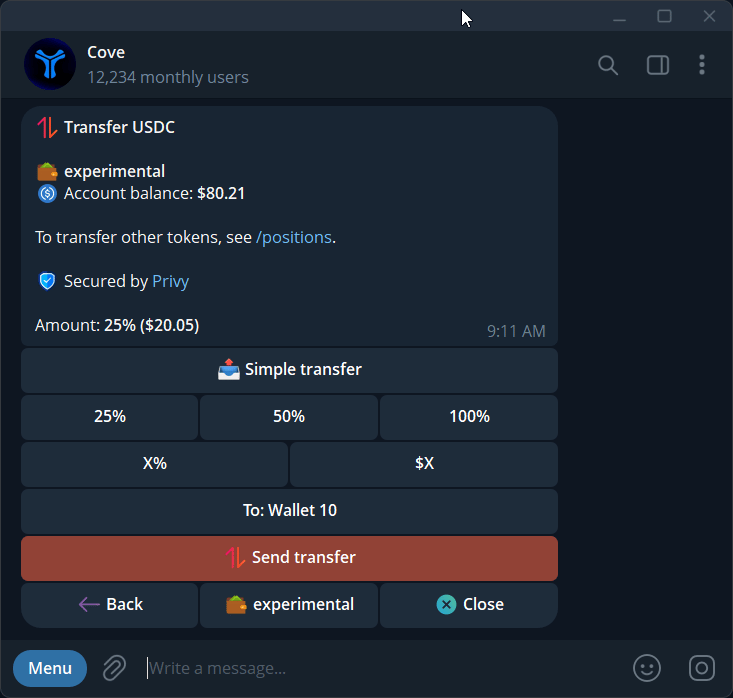
Review the amount and destination wallet before sending a simple USDC transfer.
Send to another Cove user
- Open
/transfer→ To Telegram user. - Select your paying wallet and enter the recipient’s @username.
- Check that Cove resolves the intended recipient.
- Enter the amount and review the final send action.
- Check the receipt.
Disperse USDC
- Choose Disperse USDC.
- Select one paying wallet and your receiving wallets in the same profile.
- Set the amount using the offered controls.
- Review the preview for each destination, then submit.
- Check the per-wallet results.
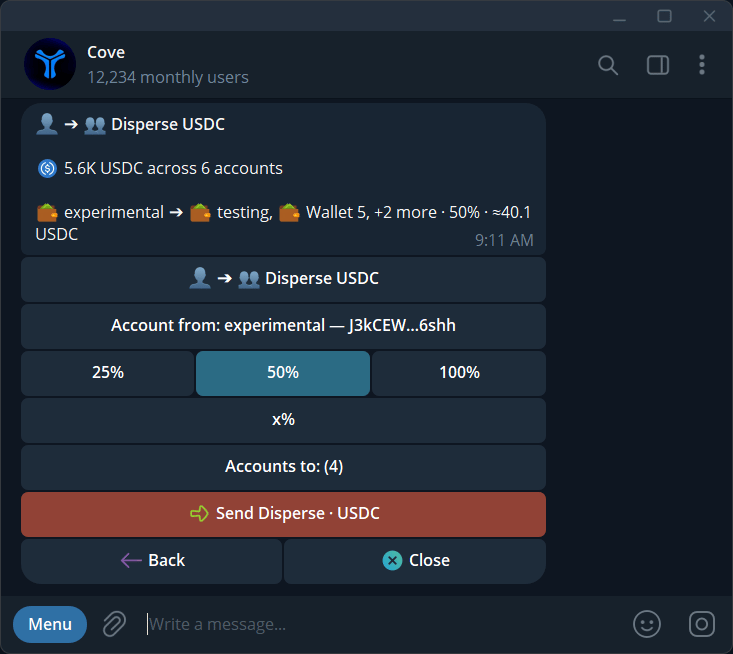
Review the source wallet, selected recipients, and allocation before sending a standard disperse.
Collect USDC
- Choose Collect USDC when at least two wallets hold funds.
- Select the source wallets and one receiving wallet.
- Review the amounts to collect, then submit.
- Check the combined result and each source.
Partial results and errors
A multi-wallet operation can succeed for some destinations and fail for others. Read every ✅/❌ result and explorer link before retrying the missing part. If you see User not found, ask the recipient to start Cove. If a panel expires or the profile changes, reopen/transfer. Paper wallets cannot send real funds.