

/withdraw flow is for stablecoin withdrawals.
Send to an external wallet
1
Find the holding
Open the correct profile and send
/positions. Expand the token’s wallet details if needed, then tap Transfer.2
Check the source
Verify From or Account from. Where a source picker is available, choose the wallet holding the tokens.
3
Choose the destination
Select Send to external wallet and enter the recipient’s address on the token’s chain.
4
Set the amount
Use the amount or percentage controls offered. Review the token, chain, source, destination, and any costs before sending.
5
Check completion
Follow Transfer sent, then Transfer complete or Transfer failed. Use the explorer link where offered.
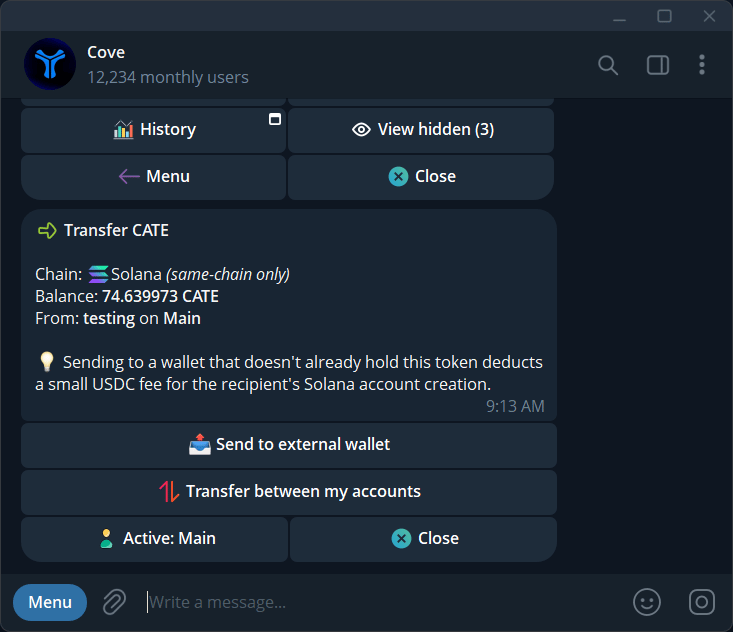
Choose an external recipient or transfer the token between your own accounts.
Move tokens between your wallets
Choose Transfer between my accounts, then:- Simple transfer: one source and one destination.
- Disperse: one source and several destinations.
- Collect: several sources into one destination.