

Set up a Counter Sell
- Open a token you hold in the intended profile. Choose the wallets to include, then tap Selling → Strategy → Counter Strategy.
- Set Trigger — Sell into buys min. The initial value is $50: smaller buys are ignored. Any evaluates buys of any size, though a sale below the minimum trade size is still skipped.
- Set Size — relative to trigger. It starts at 75%. For a qualifying $100 buy, that value asks Cove to sell roughly $75 of your tokens at the market quote, subject to the remaining sell limit and holdings.
- Optionally set Mcap Floor — No sells below. It starts at Any. The floor decides whether to attempt a sale; it does not set a minimum execution price.
- Set Total sell amount. It starts at 100% and caps how much of the selected wallets’ combined holding this strategy may sell. Review the 30-day default expiry and tap Create Counter only when ready.
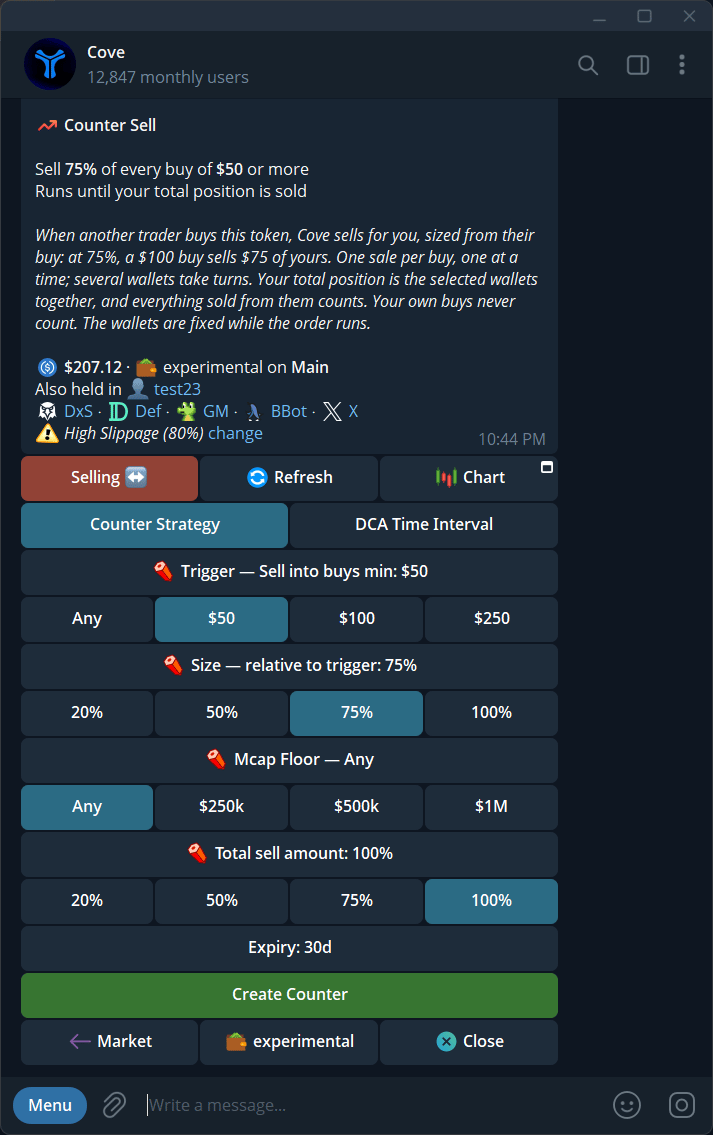
Counter Strategy opens with editable trigger, size, market-cap floor, and total sell limit.
Understand the total limit
The total percentage applies to the bag held by the wallets selected for this Counter Sell. Sales made by hand or by another order also count toward it. Buying more tokens in those wallets can increase the amount available to the strategy; selling them reduces what remains. If a buy arrives while this Counter Sell is already attempting a sale, it is skipped rather than queued. Only one Counter Sell can run for a token. Its selected wallets are fixed; to change them, cancel and create a new strategy. Each attempted sale can have trading costs, so a low minimum buy on an active token may lead to many small trades.Check, edit, or stop it
Open the token’s Active Orders → Counter → View details, or find it with/orders. The detail shows its status, settings, attempted trades, amount sold, and expiry. Use Edit Counter to change the four value controls; confirm the changes on the edit screen. Cancel Counter stops future attempts but does not undo sales already made. Token panel opens a new panel for that token; it does not change the order.
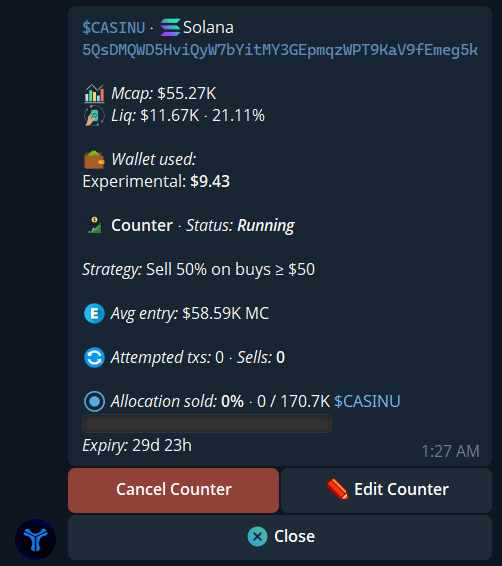
A running Counter Sell shows its strategy and allocation already sold.
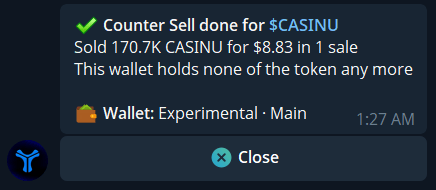
Example Counter Sell completion message.