

Where P1–P3 appear
Each side has its own P1–P3. The form opens without a selected preset. With Last used values inactive, its required fields start blank. The quick buttons below each field remain available, but they do not mean a value has been selected.
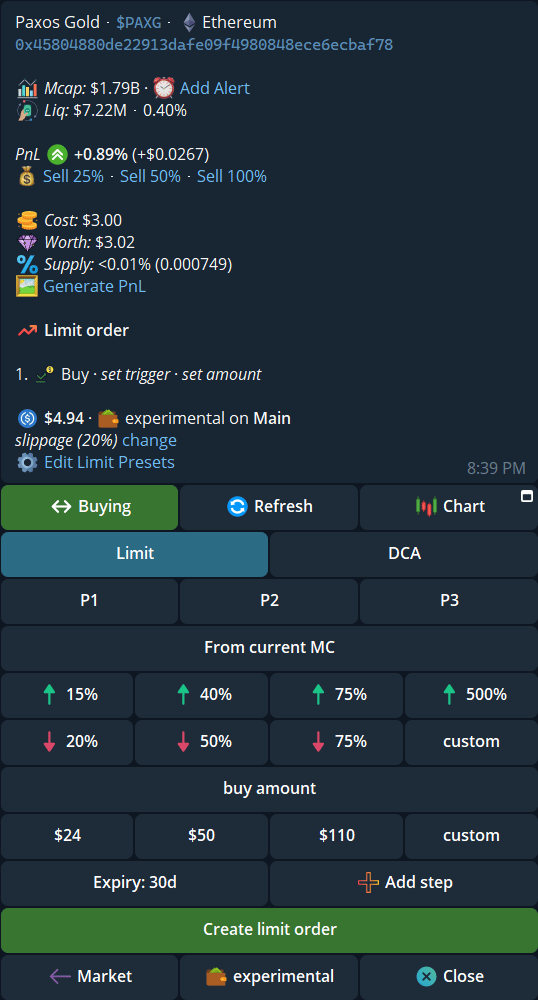
A Limit buy opens with P1–P3 and empty trigger and amount fields.
Save and recall a form
- Tap P1, P2, or P3. An empty slot selects that slot and keeps the current form values. A saved slot loads its values.
- Complete every required field. Save to P1 (or the selected slot) appears beside the create button when the form can be saved.
- Tap Save to P1 to store the form. Tap the create button separately if you also want to place an order. Creating an order does not save a preset.
- When you revisit the form, tap the same P slot to recall it. Tapping the selected slot again restores its saved values if you edited them, or deselects it if nothing changed.
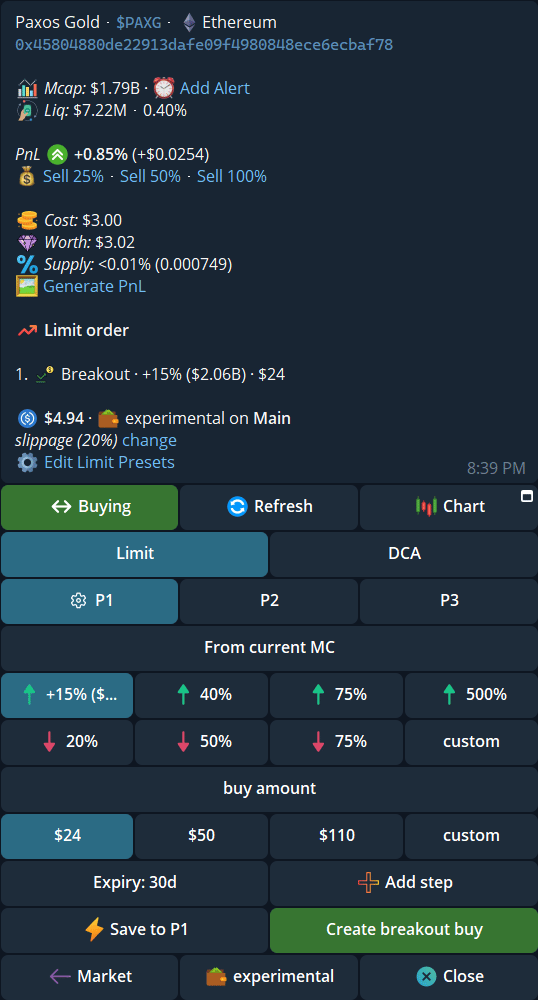
After choosing a trigger and amount, Save to P1 appears beside Create breakout buy.
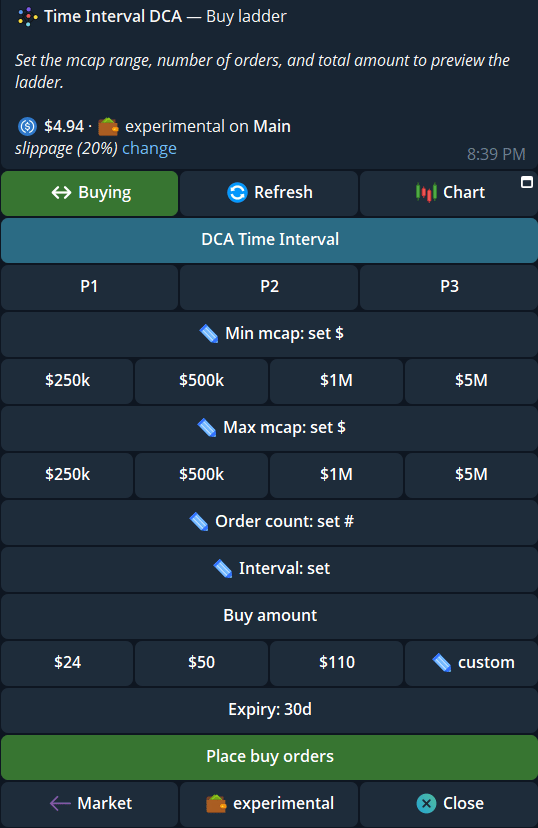
P1–P3 also appear on DCA Time Interval, with market-cap bounds, order count, and interval.
Show or hide preset rows
Open/settings → Trade panel settings → Buttons and controls → Order Presets. Switch Counter trade, DCA interval, DCA ladder, Limit order, Trailing SL, or Dev Sell separately. Turning one off hides its P1–P3 row; it does not delete saved values. The switches are on by default, but check your saved state.
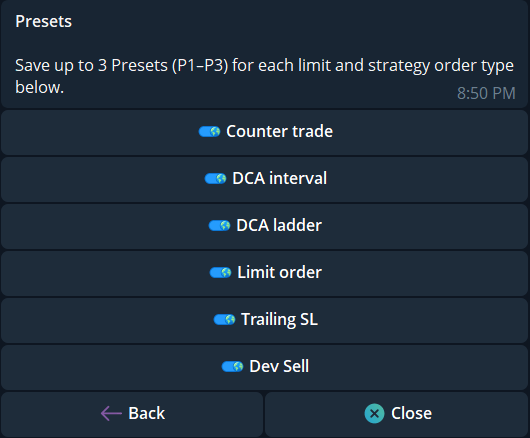
Order Presets has one switch per order type.
Last used values
Open Buttons and controls → Last used values. When Active, each Limit or Strategy tab reopens with the last complete values you entered, even on another token; you do not need to place an order for those values to be remembered. When Inactive, the tab opens blank unless you choose P1–P3. Inactive is the default.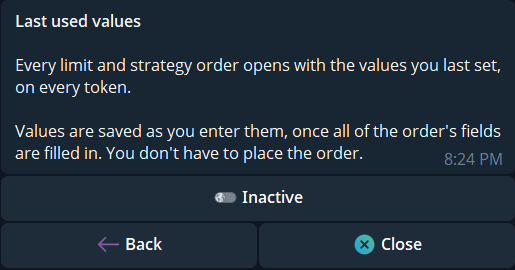
Last used values is a separate setting; this example is Inactive.